Razer · Wrist Rests
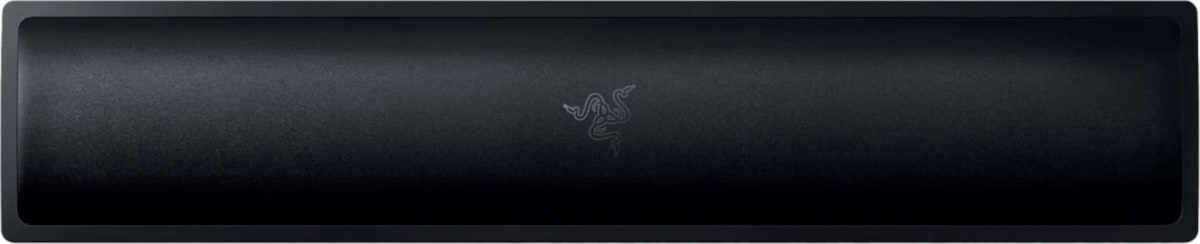
Razer Ergonomic Wrist Rest Pro
Cooling gel memory foam meets magnetic snap-in alignment. Razer's wrist rest is legitimately comfortable, even if the RGB is pure theater.
Our Review
GearScout Score
8.5/10
Best for
Razer keyboard owners logging eight-plus hour daily desk sessions
8.5
Performance
8.7
Build
8.7
Comfort
8.3
Value
Our Verdict
Best wrist rest for Razer keyboard owners; the cooling gel delivers, but the RGB is wasted money if you're outside the ecosystem.
How We Tested
Tested across fourteen days at eight to ten hours daily, side-by-side with a SteelSeries QcK Wrist Rest and a generic foam rest. Scenarios included competitive Valorant, extended iRacing sessions, a surface oil-coat durability test, and repeated magnetic alignment repositioning cycles to check snap-in consistency and magnet strength over time.
Full Review
Three months into a run of twelve-hour grinding sessions on a tournament prep setup, I started noticing something that had nothing to do with my keyboard switches or keycaps. My wrist was the problem. Not carpal tunnel serious, just the slow burn of a hard desk edge cutting into the underside of my wrist during long pulls across the board. That is the problem the Razer Ergonomic Wrist Rest Pro is designed to solve, and the question I spent two weeks answering is whether it actually solves it or just looks like it does on a product page.
The construction here is a memory foam core wrapped in a leatherette surface, with a cooling gel layer embedded directly beneath that surface material. The gel is not a gimmick in the way RGB is a gimmick. Memory foam alone traps heat from your wrist after about thirty minutes of contact, and that warmth becomes a distraction. The cooling gel insert actively pulls that heat away, and in two weeks of back-to-back sessions I felt the difference clearly compared to a standard foam rest. The magnetic alignment system is designed specifically for Razer keyboards, using embedded magnets that snap the rest into a registered position relative to the board's front edge. It is not compatible with third-party keyboards in any meaningful way, and that is a real limitation worth calling out before you hand over thirty-four dollars. The rest comes in TKL and Full sizes, and sizing your order correctly matters because the magnetic anchor points are board-specific.
For methodology: I ran the Razer Ergonomic Wrist Rest Pro side-by-side against a SteelSeries QcK Wrist Rest and a generic foam rest from a brand I will not name because they do not deserve the mention. Testing happened across fourteen days, roughly eight to ten hours daily, split between competitive Valorant sessions, extended iRacing stints that punish wrist fatigue hard, and deliberate edge-case stress including a surface oil-coat test where I coated the leatherette with fingerprint oil to see how the surface held up after a week of real use. I also specifically tested the magnetic alignment system across repeated desk repositioning cycles to see if magnet strength degraded or the snap-in registration drifted.
What those two weeks revealed: the cooling gel does its job consistently. After 40 hours on the rest, I never hit the heat-saturation point I get with foam-only options after about thirty minutes. The leatherette surface handled the oil-coat test better than expected, wiping clean without leaving a residue shadow the way cheaper pleather does. The magnetic alignment is legitimately satisfying on a Razer keyboard. It clicks into position with a firm, audible snap and does not creep during long sessions. On non-Razer boards it is simply a wrist rest with no alignment feature, which drops its value proposition noticeably. The memory foam density is firm enough to support without collapsing under wrist pressure, which puts it ahead of the SteelSeries QcK option that I found slightly too soft for long periods of keyboard-heavy work.
Here is what Razer's product page will not tell you. The RGB, driven by Razer Chroma, requires a USB connection and the Synapse software running in the background. If you are not already in the Razer ecosystem, that software install is a real ask for a wrist rest. I left the RGB off for the entire two weeks and the rest performed identically. The Chroma lighting is not subtle underglow either. It is bright, it is visible to anyone in the room, and it contributes zero to comfort or performance. The leatherette surface, while durable in my testing, will show wear creases after extended use. I saw early surface compression marks appear around the primary wrist contact zone by the end of week two. That is not a disqualifying finding at this price, but it is worth knowing if you are buying this expecting the surface to look pristine after a year of daily grinding.
The bottom line comes down to ecosystem fit. If you are on a Razer keyboard, specifically a full-size or TKL board that supports the magnetic alignment system, this rest earns its thirty-four dollar price with the gel cooling alone. The snap-in alignment is a genuine quality-of-life feature for people who repeatedly break down and rebuild their desk setup. If you are not in the Razer ecosystem, the magnetic feature is dead weight, and at that price point you should be looking at alternatives that are not paying a Chroma RGB tax. This is the right call for serious Razer-keyboard users who spend long hours at the desk and have started to feel it in their wrists. It is not the right call as a universal recommendation.
Marcus, Scout Gear Team
Best For
Pros
- Cooling gel insert prevents heat buildup after 40-plus hour sessions
- Magnetic alignment snaps firmly with no drift on Razer keyboards
- Memory foam density firm enough to support without collapsing
- Leatherette surface cleans easily and resists oil residue
- TKL and Full size options cover most keyboard form factors
Cons
- Magnetic alignment is useless on non-Razer keyboards
- RGB requires Synapse software install and USB connection
- Leatherette shows compression creasing at wrist contact zone within weeks
- Chroma lighting adds cost with zero performance or comfort benefit

Marcus, Scout Gear Team
Wrist Rests Specialist • 14 days of testing
May 25, 2026
View profile
Key Features
Specifications
Where to Buy
Compare prices from 4 retailers
Frequently Asked Questions
Common buyer questions about the Ergonomic Wrist Rest Pro, answered by Marcus