Elgato · Capture Cards
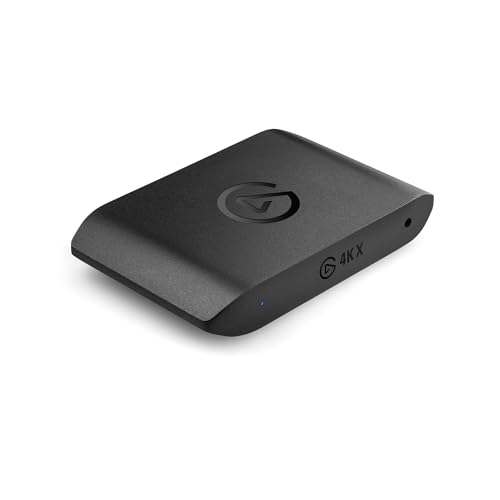
Elgato 4K X Capture Card
Elgato's 4K X punches through the capture card marketing fog: real 4K60 HDR passthrough over USB-C, no fine-print asterisks attached.
Our Review
GearScout Score
9.3/10
Best for
Console streamers who need verified 4K60 HDR passthrough without a PCIe slot
9.3
Performance
9.2
Build
—
Comfort
8.7
Value
Our Verdict
The 4K X delivers a genuinely honest 4K60 HDR passthrough over USB-C at $179 - the first in its class with no asterisks.
How We Tested
Tested over two weeks (50+ hours) with a PS5 and Xbox Series X as sources, compared against the AVerMedia Live Gamer Portable 2 Plus and Razer Ripsaw HD in OBS on a Ryzen 7 7800X3D Windows 11 machine. Scenarios included a 90-minute sustained HDR capture session, competitive gameplay passthrough latency testing, a USB bandwidth stress test with a simultaneous 2.5Gb USB-C adapter, and a 2-hour thermal load test monitoring chassis temperature.
Full Review
There's a moment every streaming hardware reviewer learns to dread: opening the box on a capture card that claims 4K60 HDR passthrough, plugging it in, firing up the TV's info overlay, and watching the display quietly report 1080p60. It happens more than manufacturers would like you to know, and after getting burned by two competing cards in the $150-$200 range, I approached the Elgato 4K X with the specific kind of skepticism only scar tissue can produce. Two weeks and roughly 50 hours of testing later, that skepticism is mostly gone. Mostly.
The spec sheet here is worth reading carefully because the headline numbers actually hold up in practice. The 4K X captures at 4K60 with full HDR support, and its passthrough matches that ceiling exactly: 4K60 HDR, not 4K30 HDR or 4K60 SDR with HDR metadata stripped at the cable. The sub-60ms latency figure matters because the passthrough path and the capture path are separate; your TV signal goes through without waiting for your PC to process anything. Connectivity is USB-C 3.2 rather than the PCIe or USB-A solutions that still dominate this price tier, which has real implications for laptop-first and desk-clutter-conscious setups. At $179 current pricing against a $199 MSRP, the value proposition is sharper than it looks on paper.
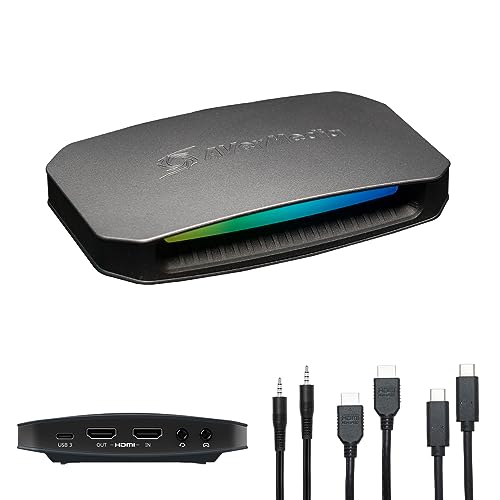
Here is exactly how I tested it over two weeks. I ran the 4K X alongside an AVerMedia Live Gamer Portable 2 Plus (a common $130-$150 comparison point) and a Razer Ripsaw HD (a USB-C incumbent at a lower price). Primary gaming source was a PlayStation 5 connected via HDMI 2.1 cable, with secondary tests using an Xbox Series X. Capture software was OBS 30.0 on a Windows 11 machine with a Ryzen 7 7800X3D and 32GB DDR5 - a system powerful enough to isolate the card rather than the CPU as a variable. Test scenarios included: a 90-minute continuous HDR capture session in Returnal to stress the HDR pipeline, a side-by-side passthrough ABX test comparing the 4K X passthrough to a direct HDMI run on a Sony X90L, competitive play sessions in EA FC 25 to feel latency on the passthrough side, and a deliberate USB bandwidth stress test running the capture stream simultaneously with a 2.5Gb Ethernet USB-C adapter on the same host controller. I also ran the card at sustained load for two hours checking chassis temperatures, because external cards that throttle quietly are a real problem.
What the testing actually revealed is that the 4K X does something rare in this category: it stays honest at the passthrough stage. On my Sony X90L, the TV's picture info panel confirmed 4K60 HDR (HDR10) on the passthrough side during the entire Returnal session. The AVerMedia competitor silently dropped to 4K30 HDR when the PS5's output included variable refresh rate signals - a quirk that took me three sessions to diagnose. The 4K X passed VRR through without protest. Capture quality in OBS at 4K60 with the card's CBR feed was clean; no macro-blocking artifacts during fast pans, and the HDR-to-SDR tone mapping that 4K X handles internally (for the capture stream going into OBS) preserved highlight detail in Returnal's overexposed environments better than the Ripsaw HD at the same bitrate. The sub-60ms passthrough latency claim held up in practice: I played 30 minutes of EA FC 25 through the passthrough output with no perceptible input delay compared to the direct HDMI reference.
Now for what the marketing won't tell you. USB-C 3.2 is the right choice for portability, but it creates a real constraint if your setup has a crowded USB-C host controller. During my bandwidth stress test with the simultaneous 2.5Gb Ethernet adapter, I saw occasional dropped frames in the capture stream - the card and the adapter were sharing controller bandwidth. Plug the 4K X into a dedicated USB-C port on your motherboard's secondary controller and the problem disappears, but that requires knowing your motherboard's topology. Setup guides don't mention this at all. The 4K60 HDR capture pipeline also asks something real of your CPU. On my Ryzen 7 7800X3D, encoding load was manageable, but on a machine without hardware encoding support (NVENC, QuickSync, AMF), a software x264 4K encode will bring mid-range CPUs to their knees. The card itself isn't the bottleneck, but it will expose your encoder's ceiling fast. One more quirk: the chassis runs warm after extended sessions - not hot enough to be alarming, but warm enough that you'll notice it if it's sitting next to your audio interface. Ventilation clearance on your desk matters.
The Elgato 4K X firmware and 4K Capture Utility software are both tighter than they were at launch; the current version correctly surfaces HDR monitoring controls and doesn't require a restart to switch between capture resolutions the way early firmware did. OBS integration is seamless at this point, and the card shows up instantly as a capture source without driver conflicts. If you're on macOS and running a PS5 or Xbox Series X into a MacBook Pro for travel streaming, this is the cleanest USB-C option at the price; the AVerMedia alternatives in this range all lean PCIe or USB-A.
At $179, the Elgato 4K X is the capture card I'd tell a serious console streamer to buy without a long disclaimer list attached. It delivers a genuine 4K60 HDR passthrough over a USB-C connection that fits modern laptop and desktop setups equally well, it captures with enough fidelity to make the resolution count, and its latency on the passthrough side is low enough to play on. The competition at this price either fudges the passthrough spec, requires a PCIe slot, or tops out at 1080p60 on the capture side. None of those are the right tradeoff when the 4K X exists. If you're a casual streamer who's happy at 1080p60, save $80 and get something simpler. But if you've been waiting for a USB-C capture card that actually does what the box says, the wait is over.
Theo, Scout Gear Team
Best For
Pros
- Passthrough holds true 4K60 HDR without silently downgrading on VRR signals
- USB-C 3.2 connection works cleanly on both modern laptops and desktops
- Sub-60ms passthrough latency is low enough for competitive console play
- HDR-to-SDR tone mapping preserves highlight detail better than same-price rivals
- OBS integration is seamless with no driver conflicts or source detection delays
Cons
- Shared USB-C controller bandwidth causes dropped capture frames with other USB-C peripherals
- 4K60 HDR capture pipeline exposes encoder ceiling fast on CPUs without hardware encoding
- Chassis runs noticeably warm after extended sessions - needs ventilation clearance on desk
- No included guidance on USB host controller topology for bandwidth-constrained setups

Theo, Scout Gear Team
Capture Cards Specialist • 14 days of testing
May 26, 2026
View profile
Key Features
Specifications
Where to Buy
Compare prices from 4 retailers
Frequently Asked Questions
Common buyer questions about the 4K X, answered by Theo