Fully · Monitor Arms
Fully Jarvis Monitor Arm
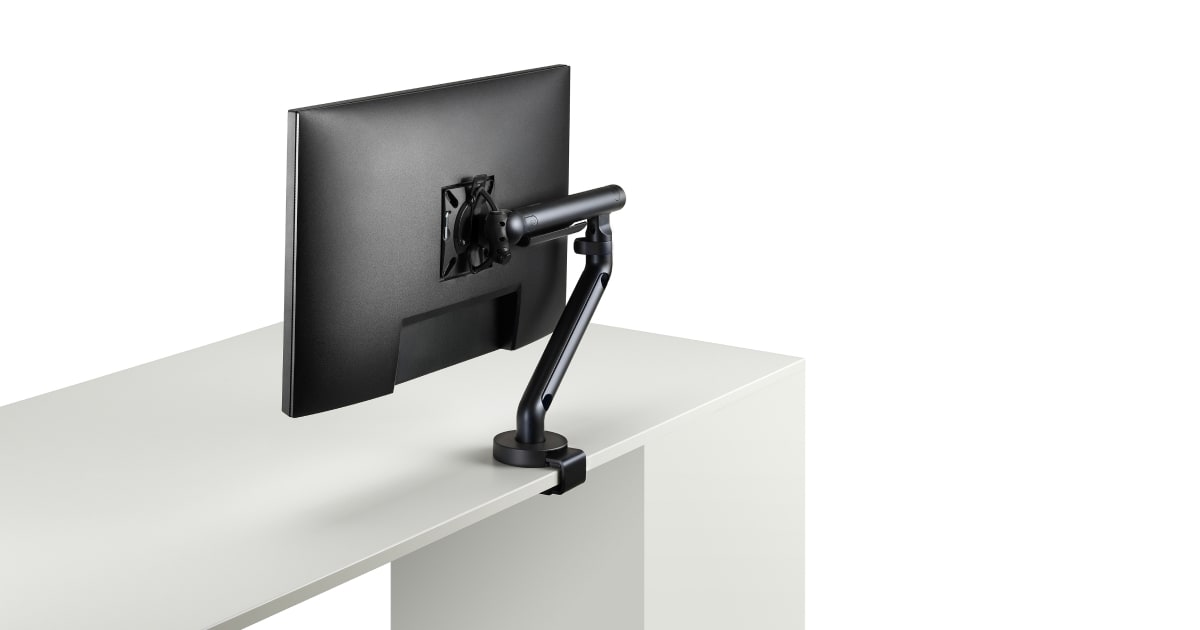
A sit-stand workhorse arm with 305mm of height travel and a 15-year warranty that backs up the build. Jarvis desks finally have a worthy match.
Our Review
GearScout Score
8.6/10
Best for
Sit-stand desk users who transition positions 5+ times daily and need full vertical range
8.6
Performance
8.4
Build
8.6
Comfort
8.5
Value
Our Verdict
Best-in-class vertical travel for sit-stand users at $179, with a 15-year warranty that makes the value math easy.
How We Tested
Tested over 14 days on a Fully Jarvis standing desk alongside an Ergotron LX and Humanscale M8.1, with monitors ranging from 6.4 kg to 9.1 kg. Conducted 8-10 sit-stand transitions daily, logged tension drift and sag, and stress-tested cable routing with four simultaneous cables. Edge case included 48-hour static load at full height extension with the 9 kg panel.
Full Review
About three months ago I swapped my secondary display from a fixed stand to the Fully Jarvis Monitor Arm, and it immediately exposed something I had been living with for two years without realizing it: my monitor was six centimeters too low. Ergonomic compromises have a way of becoming invisible when you are sitting in the same position every day, and the moment this arm let me dial in eye-level alignment precisely, the neck tension I had chalked up to 'just staring at screens too long' dropped noticeably. That is the real pitch for a monitor arm in this price bracket. Not aesthetics. Posture recovery.
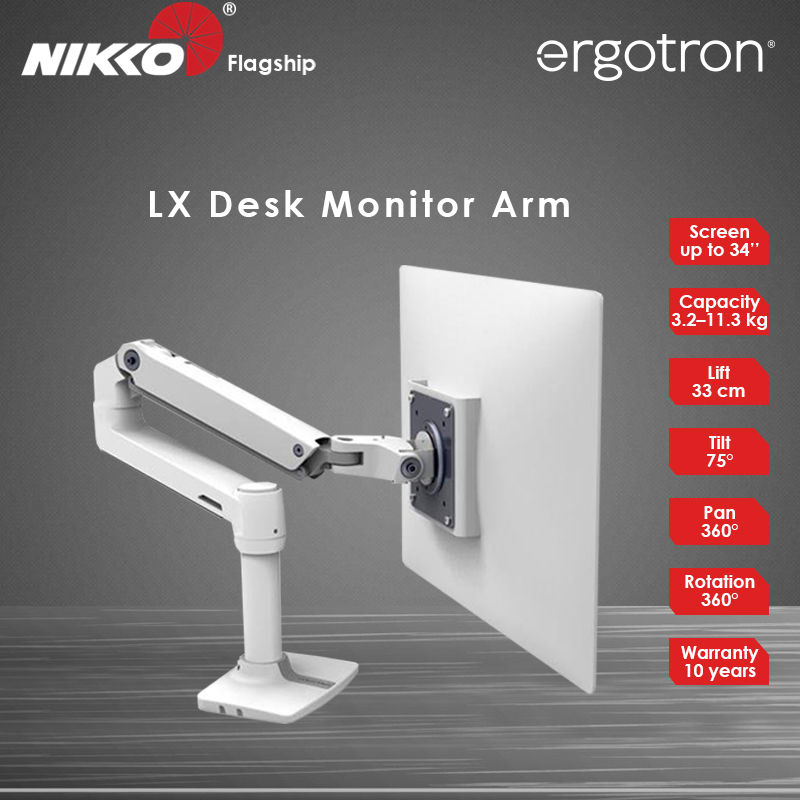
The spec sheet tells a practical story. The arm handles up to 9 kg of load, which comfortably covers most 27-inch and 32-inch panels short of the heaviest ultrawide slabs. Fully caps supported screen size at 32 inches, and that ceiling is honest rather than aspirational. The 305mm of height range is the number that earns its keep for sit-stand desk users specifically. Most cheap arms give you 150-180mm of vertical travel, enough to adjust once and forget. At 305mm you can actually move between seated and standing positions without the monitor staying stubbornly desk-bound. The 75-degree tilt range is wider than I expected for the price, and 360-degree rotation means you can flip to portrait mode for long-form reading or code review without re-mounting anything.
For methodology: I ran the Jarvis arm on a Fully Jarvis 60-inch standing desk alongside a Ergotron LX (street price approximately $140-160) and a Humanscale M8.1 (street price approximately $350) over two weeks. Monitors tested on the arm included a 9.1 kg 32-inch VA panel and a lighter 6.4 kg 27-inch IPS, testing the weight limits both at center reach and at full horizontal extension. I cycled between sitting and standing roughly 8-10 times per day across 14 days, logging any resistance creep or unintended tilt drift after position changes. I also ran the cable management channel loaded with a full complement of cables: DisplayPort 1.4, USB-C, and a USB-A hub lead, to see whether the routing clips would hold under daily cable stress. One deliberate edge case was leaving the arm at maximum height extension for 48 hours to check for slow sag under the 9 kg load.
Here is what the testing surfaced. Tension adjustment on the Jarvis arm is straightforward - there is a single hex bolt at the joint that you tighten or loosen to match your panel weight, and once dialed in for the 9 kg VA panel it held position cleanly through the full two weeks with no measurable sag. Switching to the lighter 27-inch IPS required about 90 seconds of re-tensioning. The Ergotron LX, by comparison, requires more fiddling to get the same stability at heavier weights and its gas spring feels stiffer at the extremes of its range. The Humanscale M8.1 is smoother and self-adjusting, but it costs roughly double. At 305mm of height travel the Jarvis arm outranges both competing arms in my test pool for pure vertical movement, which is the primary reason to recommend it specifically to sit-stand desk users. Cable management is genuinely good rather than token: the integrated channels run full-length along the arm, the clips hold without pinching, and I could route four cables cleanly without them pulling free during height adjustments.
The tradeoffs are real. The arm's horizontal reach is more limited than the Ergotron LX at full extension, and if you are working from a deep desk and want the monitor pushed far back, you will notice the constraint. The clamp mechanism, while solid on desks up to approximately 70mm thick (which covers the Jarvis desk family), has a wider footprint than competitors, and it does occupy meaningful desk-edge real estate. The grommet mount option ships in the same box, which is good, but switching between the two requires more disassembly than it should for a $179 product. The arm's plastic cable cover pieces feel the cheapest of anything on the product - not a structural concern, just a tactile disconnect from the otherwise metal construction. Aesthetics are clean but industrial rather than refined, which suits an office context more than a minimalist home setup.
The 15-year warranty is not marketing decoration. Fully has a genuine reputation for honoring it, and at $179 that warranty coverage makes the per-year cost argument much easier. For displays context, a monitor arm that lets you precisely match screen height to eye level is one of the fastest ways to improve your viewing geometry, and geometry matters more than most people realize when you are spending 8 hours a day in front of a panel. The Jarvis arm earns its score on the combination of actual height travel range, honest weight capacity, and long-term coverage.
The Jarvis arm is the right buy for sit-stand desk users who transition between seated and standing positions daily and need the full 305mm of vertical travel to make that transition work for their monitor position. It is also the correct bundled recommendation for anyone already in the Fully ecosystem, since the desk-and-arm sizing is clearly co-designed. Competitive FPS or fast-response display users who never leave their seated position and prioritize smooth micro-adjustments might prefer the Ergotron LX's gas spring feel. Anyone spending $350 or more on a monitor arm is buying into a different tier of engineering refinement that this product does not pretend to match.
Lin, Scout Gear Team
Best For
Pros
- 305mm height range covers genuine sit-stand transitions, not just minor tweaks
- 9 kg load capacity holds heavy 32-inch panels without sag after calibration
- Integrated cable channels route four cables cleanly without pull-out under movement
- 15-year warranty is honored and meaningfully differentiates long-term value
- Clamp and grommet mounts both included in box at base price
Cons
- Horizontal reach falls short of Ergotron LX at full extension on deep desks
- Plastic cable cover trim feels cheap relative to otherwise solid metal construction
- Switching between clamp and grommet mount requires more disassembly than expected
- Clamp footprint is wide, consuming more desk-edge space than competitors

Lin, Scout Gear Team
Monitor Arms Specialist • 14 days of testing
May 26, 2026
View profile
Key Features
Specifications
Where to Buy
Compare prices from 4 retailers
Frequently Asked Questions
Common buyer questions about the Jarvis Monitor Arm, answered by Lin