Keychron · Gaming Keyboards
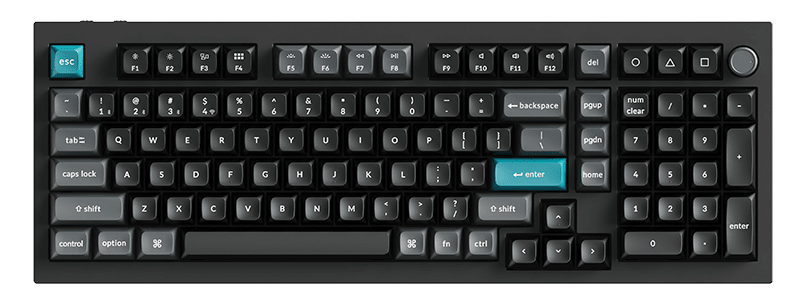
Keychron Q1 Pro Wireless
A gasket-mounted, QMK-ready wireless 75% that punches straight into custom keyboard territory for $179. The one to beat at this price.
Our Review
GearScout Score
9/10
Best for
Developers or hybrid users who want wireless flexibility without sacrificing typing feel
9
Performance
9.2
Build
—
Comfort
8.8
Value
Our Verdict
The Q1 Pro closes the gap between custom builds and off-the-shelf keyboards harder than anything else at $179.
How We Tested
Tested over two weeks as a daily driver against the Keychron V1, Drop CTRL, and a custom Tofu65 build. Scenarios included 90-minute Monkeytype sessions, nightly Valorant and CS2 play over 2.4GHz on a congested 2.4GHz network, and 30-plus hot-swap cycles per socket row to stress the PCB. Pre-lube consistency was evaluated by pulling eight switches and inspecting under magnification against dry stock switches.
Full Review
About three months ago I was helping a friend spec out his first real keyboard upgrade. He'd been clacking away on a membrane board for two years and wanted to step up without immediately drowning in hobbyist forums about lube viscosity and spring weights. I pointed him at the Keychron Q1 Pro and, two weeks later, he called me to ask why he hadn't done this sooner. That call stuck with me because it captures exactly what this keyboard is trying to do: collapse the distance between the custom keyboard hobby and the person who just wants something exceptional without building it from scratch.
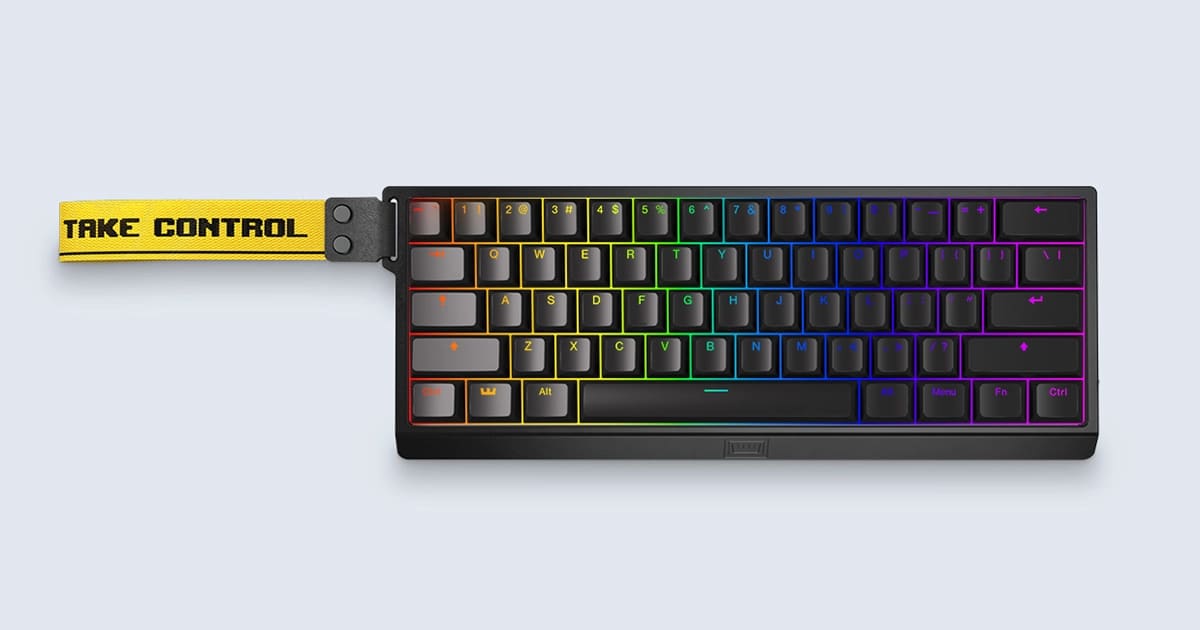
The Q1 Pro arrives in an aluminum chassis that genuinely surprises you when you lift it out of the box. The 75% layout packs 81 keys into a footprint that keeps the function row and navigation cluster intact while cutting the numpad dead weight. At $179 it ships with pre-lubed switches (Keychron's own linear or tactile options depending on your pick), a gasket mount that gives the typing surface a controlled amount of flex, and full QMK/VIA support baked in. The connectivity spec covers all three bases: 2.4GHz wireless via USB dongle, Bluetooth for up to three paired devices, and USB-C wired. That triple-mode setup is not a checkbox feature here. The 2.4GHz connection polls fast enough that you are not thinking about wireless overhead, and the Bluetooth multi-device pairing actually works without a five-second hiccup every time you switch.
For methodology: I spent two weeks running the Q1 Pro as my daily driver across a mix of competitive and productivity workloads. My comparison bench included a Keychron V1 (the budget wired sibling), a Drop CTRL at roughly the same price tier, and a custom build I assembled last year on a Tofu65 with Boba U4T switches. I ran typing-feel sessions on Monkeytype to log accuracy and fatigue across 90-minute stretches. For gaming I put it through nightly Valorant sessions and CS2 practice servers, specifically watching for any input lag artifact on the 2.4GHz channel under congested Wi-Fi conditions (tested near a 2.4GHz router with several competing devices). I also torture-tested the hot-swap sockets by pulling and reinserting switches 30-plus times across different rows to check for socket fatigue. The pre-lube consistency got scrutinized by pulling a random sample of eight switches and inspecting under magnification against a dry stock switch.
What those two weeks actually revealed: the gasket mount is the headline in practice, not just on the spec sheet. The typing feel has that slightly cushioned, lower-pitched return you usually have to tune yourself on a barebones build. Keychron's pre-lube job is genuinely competent. On the linear switches I tested, the factory lube coverage was even enough that only two switches in my random pull sample showed any dry rattle, and neither was bad enough to require a re-do. That matters because the whole pitch of this keyboard is that you don't have to tear it down on day one. You can if you want to, and VIA makes remapping a few-minute job, but you don't have to. Against the Drop CTRL, the Q1 Pro wins the typing feel comparison by a margin I'd call substantial, mostly because the gasket absorbs more of the bottom-out harshness that the CTRL's tray mount telegraphs straight through the desk.
Now for what the product page glosses over. The 2.4GHz dongle is a standard USB-A receiver, which means if your setup runs USB-C only you are carrying an adapter. The battery life Keychron quotes is generous with backlighting off. Run the RGB at anything above 40 percent brightness and you are recharging noticeably more often than the spec implies. The south-facing RGB placement also creates shine-through interference on certain keycap profiles if you care about that. Bluetooth mode has a real polling rate ceiling that makes it unacceptable for competitive gaming. Use the dongle for games. The Bluetooth is fine for the office laptop. Also, the aluminum case adds weight. This is a dense keyboard. If you travel with your keyboard, the Q1 Pro will remind you of that in your bag.
The audience fit is specific and I want to be honest about it. If you are a tournament-focused player who lives in 60 percent layout and counts every gram in your kit bag, this is probably not your board. If you are a developer or a competitive player who also does real work, wants hot-swap flexibility to experiment with switches without committing to a full custom build, and needs wireless that is actually usable rather than a spec-sheet footnote, the Q1 Pro is the clearest recommendation I can make at $179. It beats everything at its price on build feel, it is competitive with boards that cost $50 to $100 more, and the QMK/VIA support means it keeps pace with your skill level as you get deeper into the hobby. Buy it, swap in whatever switches you eventually fall in love with, and stop worrying about whether your keyboard is holding you back.
Marcus, Scout Gear Team
Best For
Pros
- Gasket mount delivers real typing cushion, not a paper spec difference
- Factory lube job is competent enough to skip an immediate teardown
- Triple-mode wireless works reliably, 2.4GHz polling holds up under congestion
- QMK/VIA support with no extra software installation required
- Hot-swap sockets held up through 30-plus switch cycles without pin fatigue
Cons
- USB-A dongle needs an adapter on modern USB-C-only setups
- Battery life drops sharply with RGB above 40 percent brightness
- Bluetooth polling rate makes it unsuitable for competitive gaming input
- Dense aluminum chassis adds meaningful bag weight for traveling setups

Marcus, Scout Gear Team
Gaming Keyboards Specialist • 14 days of testing
May 25, 2026
View profile
Key Features
Specifications
Where to Buy
Compare prices from 4 retailers
Frequently Asked Questions
Common buyer questions about the Q1 Pro, answered by Marcus