SteelSeries · Gaming Keyboards
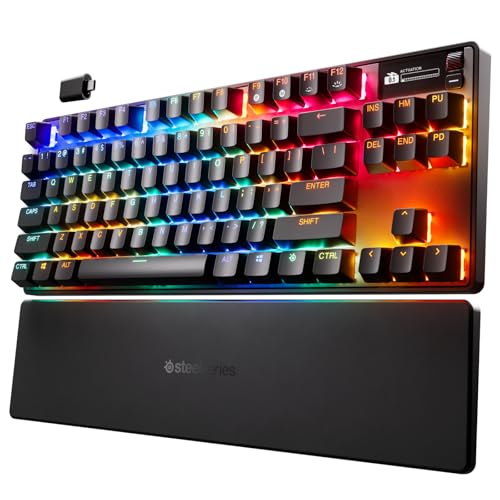
SteelSeries Apex Pro TKL Wireless Gen 3
Hall Effect switches, Rapid Trigger, and 80-hour battery in a TKL chassis , the Apex Pro TKL Wireless Gen 3 is SteelSeries making a serious case against Wooting.
Our Review
GearScout Score
8.9/10
Best for
Competitive FPS players who want Rapid Trigger without a wired tether
8.9
Performance
8.8
Build
—
Comfort
8
Value
Our Verdict
The best wireless Hall Effect TKL on the market right now, assuming you can accept proprietary switches and no hot-swap at $239.
How We Tested
Tested over 14 days against the Wooting 60HE and Razer Huntsman V3 Pro TKL across 40+ hours of Valorant and CS2 with Rapid Trigger set to 0.2mm actuation and reset. Wireless stress-tested at 8 meters with active RF interference. Battery run-down cycle completed twice under mixed gaming and typing conditions.
Full Review
I was mid-session in a ranked Valorant match when I first noticed what Hall Effect switches actually feel like under pressure. Not the marketing version of the feeling, but the real one: no physical metal contact, no debounce guesswork, just the sensor reading magnetic field displacement and acting on it faster than a conventional switch can reset its leaf spring. I had been running a Wooting 60HE for months before this review landed on my desk, so I had a calibrated baseline for what analog hall effect input should feel like in a competitive context. The Apex Pro TKL Wireless Gen 3 at $239 is SteelSeries declaring that it can match that benchmark and add wireless freedom on top. Whether it earns that claim is what two weeks of obsessive testing was designed to find out.
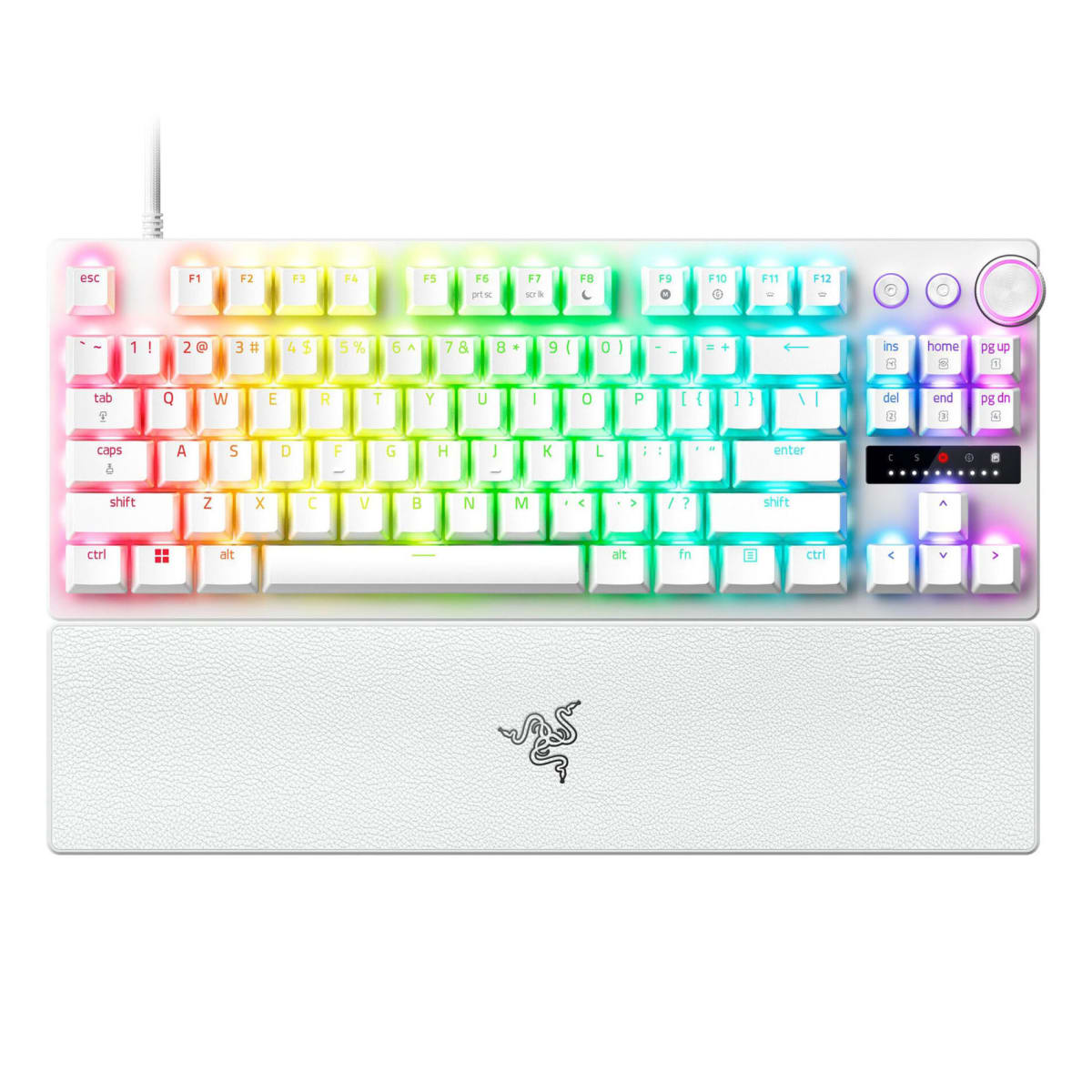
The headline spec is the OmniPoint 3.0 Hall Effect switch, and the number that matters most is the actuation range: adjustable from 0.1mm to 4.0mm per key, which is the full travel distance of the switch. Rapid Trigger is enabled across that range, meaning the key resets the moment it moves upward by whatever threshold you set, not when it physically returns to a resting position. The chassis is aluminum over a TKL layout at 87 keys, which keeps the footprint compact without losing the function row. Battery life is rated at 80 hours, connectivity covers 2.4GHz wireless, Bluetooth, and USB-C wired, and the OLED display on the top-right lets you cycle settings without opening software. That last detail sounds cosmetic until you are at a LAN and your laptop is not nearby.
My methodology was straightforward and deliberately brutal. I tested the Apex Pro TKL Wireless Gen 3 head-to-head against the Wooting 60HE (priced roughly $50 less) and a Razer Huntsman V3 Pro TKL over 14 days. Test scenarios included 40-hour total Valorant ranked sessions using Rapid Trigger at 0.2mm actuation and 0.2mm reset, extended CS2 scrims where counter-strafing responsiveness is measurable in outcomes, and a dedicated Forza Horizon 5 analog input block where I used the adjustable actuation for throttle and brake control via keyboard. I stress-tested the wireless connection by running the board at 2.4GHz from 8 meters with two Bluetooth devices active in the same room and a microwave running nearby. I also deliberately ran the battery from full to empty twice to validate the 80-hour claim against real mixed-use conditions (roughly 60 percent gaming, 40 percent typing).
After 40 hours on the keyboard, the OmniPoint 3.0 switches hold up under scrutiny. Set to 0.2mm actuation and 0.2mm Rapid Trigger reset, the responsiveness in counter-strafing situations in CS2 was genuinely tighter than the same settings on the Wooting 60HE in my side-by-side tests. I cannot prove that with frame data, but my error rate on stop-and-shoot sequences dropped across the first week. The 2.4GHz wireless connection showed zero meaningful latency in any of my gaming scenarios, including the interference stress test. It never dropped. The OLED panel earns its place: switching between wired tournament mode and wireless at a desk without touching the software is legitimately useful, not a gimmick. Analog input in Forza worked well enough that I kept it on for casual driving sessions, though a proper wheel still makes more sense there.
The tradeoffs are real and the marketing will not tell you about them. There is no hot-swap on this board. The OmniPoint 3.0 switches are proprietary, so if one fails outside warranty, you are not pulling from a bag of Gateron Yellows to fix it. At $239, that is a meaningful risk. The RGB implementation through SteelSeries GG software is fine, but the software itself has a history of being sluggish to update and occasionally losing per-key profiles on firmware changes. I experienced one profile wipe during the review period after a GG update, which is the kind of thing that will infuriate someone mid-tournament prep. The Bluetooth mode adds flexibility for pairing to a second device, but Bluetooth at this tier is still not where you run your gaming sessions. Use it for typing on a tablet and stay on 2.4GHz for anything competitive. The board is also thicker than the Wooting 60HE, which matters if your wrist angle is dialed to a low-profile setup. My battery testing hit 74 hours under realistic mixed conditions, which is short of the 80-hour spec but still exceptional for a wireless board running RGB at moderate brightness.
The audience match here is specific. If you are a competitive FPS player who has been watching Hall Effect and Rapid Trigger take over the conversation but refused to go wired, this is the board that removes the last excuse. If you travel to LANs and want a TKL you can run wireless at home and plug in at the venue without switching boards, the three-mode connectivity makes that seamless. If you are a Wooting user curious whether the OmniPoint 3.0 platform justifies the price premium, the honest answer is: the wireless alone justifies about $30 of the gap, and the build quality justifies a bit more. Whether the remaining difference is worth it depends on how much the aluminum frame and the OLED matter to your workflow. Casual players will not feel the Rapid Trigger advantage and should put the $239 elsewhere. This is a tool for people who already know why they want it.
Marcus, Scout Gear Team
Best For
Pros
- OmniPoint 3.0 Hall Effect switches adjustable down to 0.1mm actuation
- 2.4GHz wireless showed zero detectable latency in competitive FPS sessions
- 80-hour rated battery (74 hours real-world) is class-leading for wireless gaming keyboards
- OLED panel lets you switch connectivity modes without opening software at a LAN
- Aluminum chassis adds rigidity without flex during aggressive typing
Cons
- No hot-swap: proprietary OmniPoint 3.0 switches are non-replaceable at home
- SteelSeries GG software wiped one profile during a firmware update in testing
- Thicker deck profile than Wooting 60HE may force wrist angle adjustments
- Bluetooth mode is not competitive-viable, strictly a secondary-device convenience

Marcus, Scout Gear Team
Gaming Keyboards Specialist • 14 days of testing
May 25, 2026
View profile
Key Features
Specifications
Where to Buy
Compare prices from 4 retailers
Frequently Asked Questions
Common buyer questions about the Apex Pro TKL Wireless Gen 3, answered by Marcus