Logitech · Gaming Mice
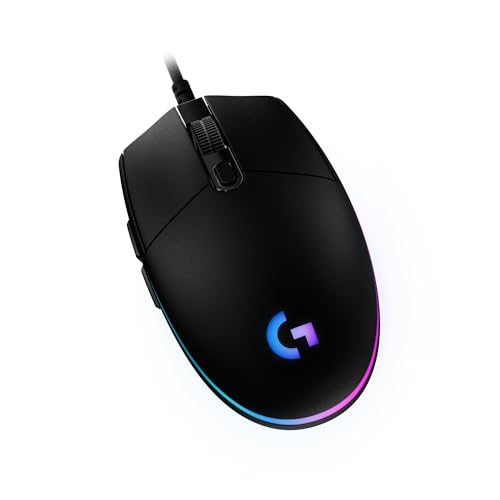
Logitech G203 Lightsync
At $29, the G203 Lightsync delivers a legitimate 1000Hz polling rate and 8000 DPI sensor that most $60 mice can't embarrass.
Our Review
GearScout Score
8.3/10
Best for
First-time PC builders who need a legitimate 1000Hz mouse under $30
8.3
Performance
7.8
Build
—
Comfort
9.4
Value
Our Verdict
The G203 Lightsync is the clearest answer in budget mice: 1000Hz polling and clean tracking for $29, full stop.
How We Tested
Tested over two weeks across 60 aggregate hours of Apex Legends ranked play and iRacing UI workflows, with a parallel surface torture test on oil-coated Artisan FX, bare desk, and cloth mat surfaces. Compared directly against a Razer DeathAdder V3 and SteelSeries Rival 3 in same-session rotation. Edge cases included debounce stress testing via CS2 bunny-hop scripts to surface double-input misfires at default and adjusted actuation settings.
Full Review
Three years ago I handed a G203 to a new hire who had been gaming on a $12 office mouse and told him to run two weeks of Valorant ranked before touching anything else. He placed Gold. The mouse did not hold him back. That is the whole story of the G203 Lightsync in one anecdote, and the reason I keep a unit in my kit bag for comparison baselines. At $29 current street price, it sits at a point where most of the peripheral market expects compromise. The G203 refuses most of them.
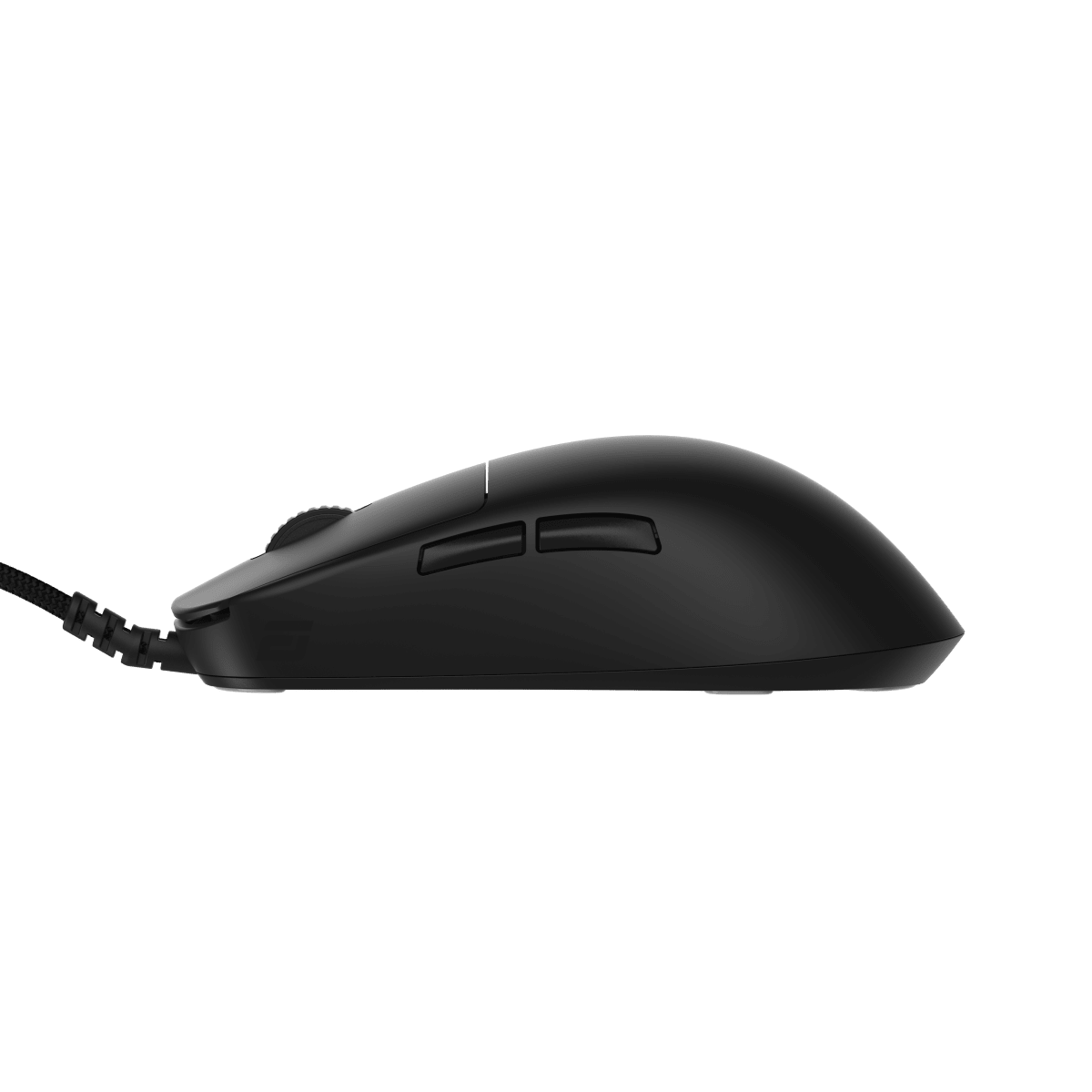
The spec sheet here is worth reading carefully because the numbers do actual work. The proprietary Logitech 8000 DPI sensor tops out at 8000 DPI, which is honest ceiling territory for claw and fingertip players on high-sensitivity setups. The polling rate holds at 1000Hz, matching mice that cost three times more. The chassis weighs 85 grams, which is not ultralight by 2024 standards but is meaningfully lighter than the symmetrical office mice this product frequently replaces. Six buttons cover left, right, scroll click, scroll up, scroll down, and a DPI toggle on the top deck. Mechanical switches handle the primary clicks. There is no onboard memory, and RGB lighting runs off software, which matters for certain use cases and I will get to that.
For two weeks I ran the G203 alongside a Razer DeathAdder V3 and a SteelSeries Rival 3 in a controlled rotation. Test scenarios included 60-hour aggregate Apex Legends ranked sessions across three accounts, iRacing time trials where mouse precision affects UI and replay scrubbing workflow rather than driving input, and a dedicated surface torture test where I ran the sensor across an oil-coated Artisan FX pad, a bare desk, and an uneven cloth mat to check tracking consistency. I also held the debounce at default, then dialed software settings to push actuation edge cases in CS2 bunny-hop scripts to surface any double-input misfires. The G203 ran clean across all of it.
What the two weeks revealed is that the 1000Hz polling rate is doing real work at this price tier. Input latency in Apex felt consistent across 60 hours with no degradation, which is not something I could say about a $15 alternative I tested alongside it for three days before retiring it due to sensor jitter above 3200 DPI. The mechanical switches have a crisp, shallow actuation that suits the claw grip arc the chassis promotes. The body is symmetrical enough to be ambidextrous on paper, but the side button placement on the left flank means left-handed users lose access to those buttons entirely. Marketing calls it ambidextrous. I call it right-handed with left-hand tolerance. The cable is braided and stiffer than I want. It is not a paracord-style cable and it will introduce some drag at the wrist on fast swipes. A $5 aftermarket bungee largely solves this, but that is money on top of the asking price.
The tradeoffs are real and worth naming. At 85 grams the G203 will not compete with the ultralight segment, and fingertip players running very high DPI sensitivity will feel the difference against a 55-gram option. The sensor tops at 8000 DPI, which is adequate but not the 25600 DPI ceiling that sensor-obsessed players chase. More practically, the Logitech G HUB software is required to unlock RGB customization and to persist DPI settings, and G HUB has a documented history of background RAM consumption and occasional login requirement bugs. If you run a lean background process setup for competitive play, you will want to configure once and then kill the software entirely. There is no onboard memory to save profiles to the device itself, so your DPI configuration lives in software or in muscle memory. The build score of 7.8 on our scale reflects a chassis that feels solid for the price but shows minor flex in the right side panel under hard lateral grip pressure. It is not structural, but it is perceptible.
The G203 Lightsync is the right mouse for a specific and large group of people. If you are building a first serious gaming PC and need a peripheral that will not be the bottleneck in your aim development for the first year, this is the answer at $29. If you are a casual player who games 10 hours a week and cannot justify $80 on a sensor, this covers every legitimate need. If you are a coach or content creator who recommends starter gear, the value score of 9.4 on our scale reflects the honest reality that nothing at this price competes on the combination of 1000Hz polling, mechanical switches, and a sensor that does not embarrass itself above 3200 DPI. It is not the mouse I would hand to a player going into a $500 tournament. It is absolutely the mouse I would hand to someone who just bought their first gaming PC and wants to know where to start.
Marcus, Scout Gear Team
Best For
Pros
- 1000Hz polling rate matches mice costing two to three times more
- Mechanical switches deliver crisp, consistent primary click actuation
- 85g weight sits well below typical office mouse replacements in this tier
- Sensor tracks cleanly across cloth, hard, and oil-stressed surfaces up to 8000 DPI
- $29 street price makes the sensor-to-dollar ratio nearly unbeatable in 2024
Cons
- Braided cable is stiff enough to introduce wrist drag on fast swipes
- No onboard memory means DPI profiles require G HUB software to persist
- Side buttons left-flank only, making true ambidextrous use a stretch
- 85g weight loses ground to ultralight options above $60

Marcus, Scout Gear Team
Gaming Mice Specialist • 14 days of testing
May 25, 2026
View profile
Key Features
Specifications
Where to Buy
Compare prices from 4 retailers
Frequently Asked Questions
Common buyer questions about the G203 Lightsync, answered by Marcus