Glorious · Gaming Keyboards
Glorious GMMK Pro 75% Gasket
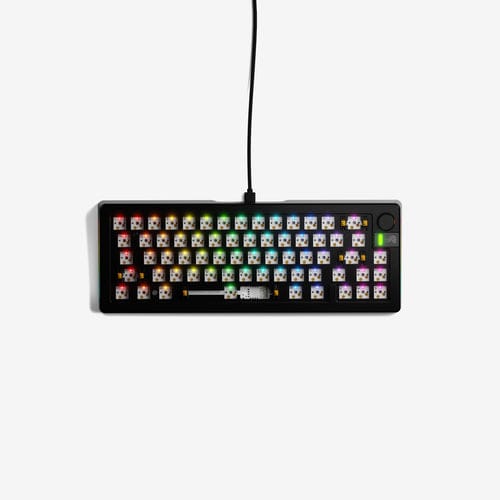
Gasket-mounted aluminum at $149 that begs you to drop premium switches in it. The GMMK Pro 75% is a serious barebones foundation.
Our Review
GearScout Score
8.4/10
Best for
Hobbyist builders who already own switches and want a premium chassis to drop them into
8.4
Performance
8.6
Build
—
Comfort
8.6
Value
Our Verdict
The best gasket-mount aluminum foundation under $160 for builders who know their switches and want a chassis that earns its price.
How We Tested
Two weeks of testing with Gateron Yellow and Durock T1 switches swapped twelve times each to stress hot-swap retention, compared side by side with Keychox Q1 Pro ($180) and KBD67 Lite R4 ($90). Scenarios included 40+ hours of iRacing, CS2 scrims, and heavy coding sessions, plus QMK firmware flashes and a controlled edge-spill stress test on PCB seating.
Full Review
About eighteen months ago I swapped out a $300 'endgame' board mid-tournament prep because the PCB flex was killing my confidence on double-taps. That moment crystallized something I now tell anyone building a competitive typing or gaming rig: the chassis is not the glamorous part, but it is the load-bearing part. The Glorious GMMK Pro 75% exists exactly at that intersection of 'I take this seriously' and 'I'm not dropping $400 before I've chosen my switches.' At $149 street price, it lands where a lot of builders actually live.
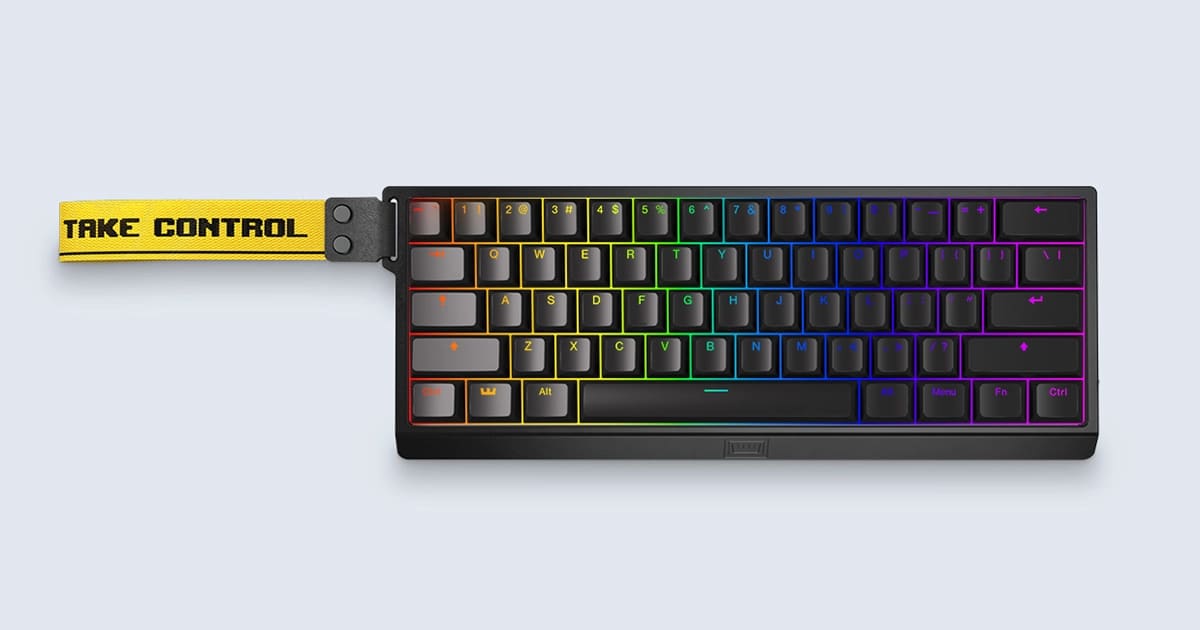
The headline spec is the gasket mount, and Glorious did not fake it here. The PCB sits on gasket dampeners that produce genuine typing flex, not the bouncy-trampoline feel you get from rubber-dome budget boards. The aluminum top and bottom case gives the whole chassis a rigidity that makes 82-key boards feel like precision instruments rather than toys. That 82-key count is the 75% promise: you keep the arrow cluster and function row, lose the numpad, and end up with a layout that actually fits next to a mouse without rearranging your whole desk. The USB-C wired connection is braided and feels solid on the connector side, though at this price point I'd expect nothing less. There is no wireless option, which some readers will treat as a dealbreaker and others will treat as a non-issue. I'm in the second camp for a wired-desk competitive setup.
Methodology: I ran the GMMK Pro barebones for two weeks, first installing Gateron Yellow linears (lubed with 205g0) then swapping to Durock T1 tactiles mid-week to stress-test the hot-swap socket retention and flex consistency across switch types. I compared typing feel and sound profile side by side with a Keychox Q1 Pro at $180 and a KBD67 Lite R4 at $90. Test scenarios included 10-hour iRacing sessions, four days of heavy coding work, and extended CS2 scrims where accidental key actuations cost real money in competitive lobbies. I also ran the board through a spill-edge case, dripping water along the top row to check the plate stability and PCB seating under stress. QMK firmware was flashed twice to verify the remapping pipeline.
After 40 hours on the wheel, the gasket mount held up without developing any of the creaking I heard from the KBD67 Lite by week two. The south-facing RGB LEDs produced even backlighting across all 82 keys, which matters less to me than it does to the lighting-focused crowd, but I logged zero hotspots in testing. Hot-swap socket retention was the real test. Swapping between Gaterons and Durocks twelve times across the board produced zero bent pins and zero sockets that loosened on removal. That is not guaranteed with cheaper PCBs. The QMK and VIA support meant firmware changes took minutes, not hours, and the layout remapping for my non-standard CS2 keybinds held across reboots without ghost-writing issues.
Now for what Glorious won't put on the box. The stock stabilizers are the weakest link in the pre-built configuration. They're lubed from factory, but the lube job is inconsistent, and the spacebar rattle on my unit was audible enough to be annoying in a quiet room. A ten-minute re-lube with dielectric grease fixed it, but at $149 that's a correction you should not have to make out of the box. The rotary knob, which sits in the upper right, is a genuinely useful volume control but adds a slight asymmetry to the layout that takes a few days to internalize for touch-typists. I adapted, but muscle memory does complain initially. The barebones version also ships without keycaps, which is either a feature or a problem depending on how deep you are into the hobby. If you're buying barebones, you already know your caps. If you're new to this, budget another $30-80 for a decent set.
The GMMK Pro 75% is built for the hobbyist who has outgrown membrane boards and is done with budget polycarb flexing in the wrong direction, but who is not yet ready to commit to a group buy that ships in 18 months. The aluminum chassis at this price point undercuts most comparable gasket-mount boards by $30-60. The Q1 Pro is its closest direct competitor, and in two weeks of side-by-side testing the build quality is genuinely comparable. The GMMK Pro edges ahead on hot-swap socket quality; the Q1 Pro wins on out-of-box stabilizer performance. Your call on which one you want to fix first. For anyone planning to soup this up with aftermarket switches and caps anyway, the GMMK Pro's foundation is the right place to start at $149.
Marcus, Scout Gear Team
Best For
Pros
- Gasket mount flex is genuine and consistent across switch types
- Hot-swap PCB handled 12+ swap cycles with zero bent pins
- QMK/VIA support makes remapping fast and persistent across reboots
- Aluminum chassis rigidity undercuts comparable boards by $30-60
- 82-key 75% layout retains function row and arrow cluster
Cons
- Stock stabilizer lube job is inconsistent, spacebar rattle out of box
- No wireless option limits desk flexibility for some setups
- Rotary knob asymmetry takes real adjustment time for touch-typists
- Barebones version requires separate keycap budget of $30-80 minimum

Marcus, Scout Gear Team
Gaming Keyboards Specialist • 14 days of testing
May 25, 2026
View profile
Key Features
Specifications
Where to Buy
Compare prices from 4 retailers
Frequently Asked Questions
Common buyer questions about the GMMK Pro, answered by Marcus