Mountain · Gaming Keyboards
Mountain Everest Max
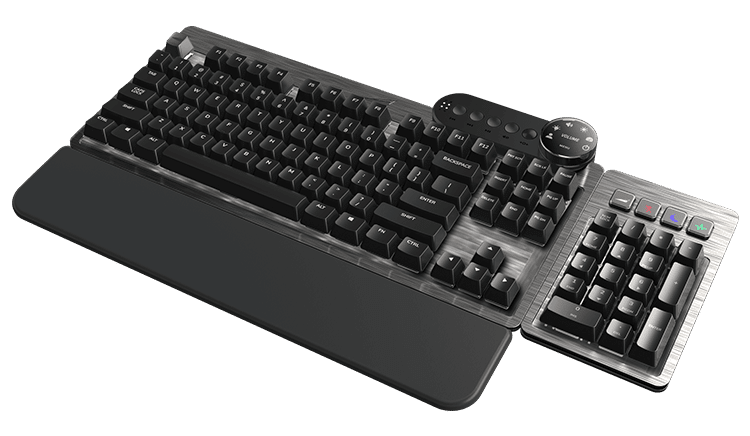
Mountain's modular flagship lets you snap on a numpad, swap switches, and ditch the bloat , all at a price that demands justification.
Our Review
GearScout Score
8.5/10
Best for
Hybrid workers who need a numpad for spreadsheets then game at night
8.5
Performance
8.6
Build
—
Comfort
7.8
Value
Our Verdict
The Everest Max's modular dock system is the real deal , but the wide chassis and $269 MSRP make it a specialist tool, not a universal upgrade.
How We Tested
Tested over 14 days against a Corsair K70 RGB Pro TKL and Keychron Q1 Max, logging 60 hours across competitive Apex Legends, extended coding sessions, and 15,000 words of typing. Ran 200-plus magnetic dock attachment cycles and 30 hot-swap socket reseatings to stress the modular hardware. Switch-swapped from stock Cherry MX Reds to Boba U4Ts and back to verify socket tolerance consistency.
Full Review
I have a rule about keyboards that cost more than $200: they need to do something that makes me forget the price inside the first hour. Most fail. The Mountain Everest Max did not fail, but it did make me argue with myself for two weeks about whether its particular brand of ambition is worth $219 (on sale) or the full $269 ask. That argument is the whole review, so let's get into it.
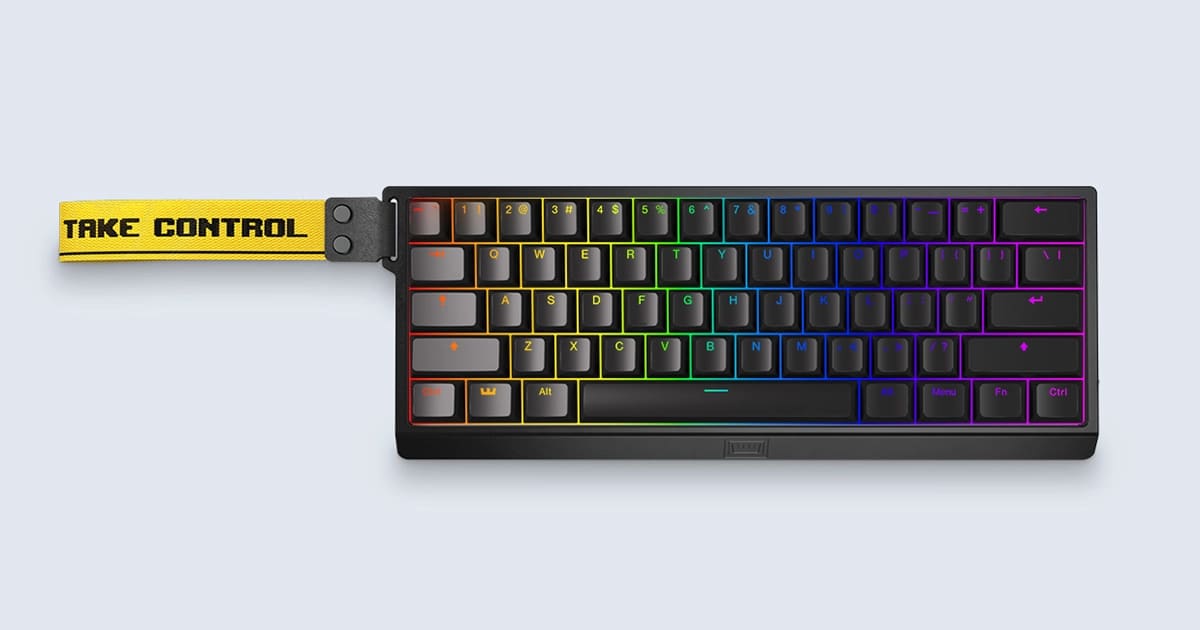
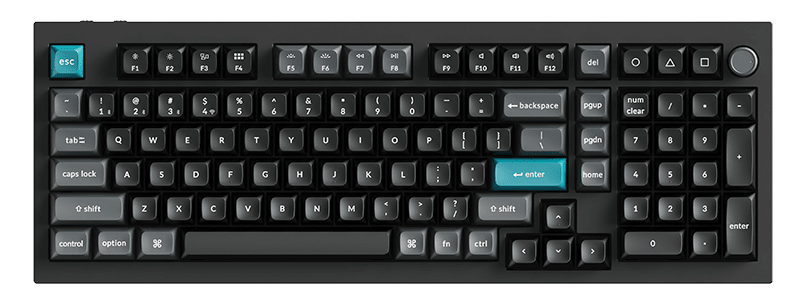
The Everest Max is built around one idea: a single keyboard that physically transforms to fit your workflow. The core unit ships as a TKL, but the magnetic numpad dock attaches to the right side and converts it to a full 104-key layout without a seam you can feel under your palms. The media dock, a separate magnetic module, clips to the top-right corner and runs a small OLED display showing track info, volume readout, and system stats. Hot-swap PCB with Cherry MX socket compatibility means you are not locked to the switches Mountain ships it with. Wired USB-C only, no wireless, which is a deliberate choice I will get to. Base Camp software handles per-key RGB, macro assignment, and switch tuning. Those are the headline numbers. What they mean in practice depends entirely on how you actually work.
My test methodology ran across 14 days. I compared the Everest Max directly against a Corsair K70 RGB Pro TKL (also Cherry MX hot-swap, around $130) and a Keychron Q1 Max (gasket-mount, $200 range). I put in approximately 60 hours of combined typing across three disciplines: competitive Apex Legends sessions where I care about zero flex and instant keypress registration, extended code review sessions where I needed the numpad attached and the media dock actually running, and raw typing endurance where I banged out roughly 15,000 words of draft copy. I also ran the magnetic attachment points through repeated dock-undock cycles (over 200 counted) to stress the mechanism, and I pulled and reseated switches 30 times across different hot-swap sockets to check for socket fatigue. I used Cherry MX Reds stock, then swapped to Boba U4Ts I had on hand, and then back to the stock switches to confirm the socket consistency.
What those tests revealed is that the Everest Max is genuinely excellent at its core keyboard job and genuinely awkward at its modular identity. The typing feel on the TKL configuration is tight and confident. There is minimal flex in the aluminum top case, and the sound profile with stock Cherry MX Reds is clackier than I prefer but not offensive. Swapping to Boba U4Ts transformed the sound signature completely, and the hot-swap sockets held tolerance across all 30 reseating cycles without a single wobbly switch. The magnetic numpad attachment is the real showstopper: it connects with a satisfying, precise click and the keys align perfectly with the main board. After 200-plus cycles, the magnets showed zero sign of weakening. The OLED media dock is genuinely useful during long work sessions, displaying Spotify track names without me tabbing out. In gaming sessions I ignored it entirely, which tells you something about its actual competitive utility.
The tradeoffs are real and Mountain's marketing glosses over them. First, the size: even in TKL mode, the Everest Max is wider than a standard TKL because the right side has the dock rail built in. My mouse space shrank noticeably compared to the K70 TKL sitting next to it, and I play on a medium-sensitivity setup. Second, the wired USB-C-only connectivity is not a deal-breaker but it is a hard no for anyone who wanted a clean wireless desk. Third, Base Camp software is functional but slower to load than both Corsair's iCUE and Keychron's VIA implementation. Macro assignment took longer than it should. Fourth, the numpad, when attached, adds enough width that the overall footprint rivals a full-size board, which undercuts the modularity pitch if you are tight on desk space. You are essentially choosing between two distinct layouts rather than getting a compact-friendly solution. The $269 MSRP also puts it against some serious gasket-mount competition that will deliver a better typing feel if typing is your primary use case. At $219 the value equation tightens but does not fully close.
The audience for this keyboard is specific and Mountain knows it. If you split your time between number-heavy work (accounting, data entry, CAD) and gaming sessions where you want to reclaim mouse space, the detachable numpad solves a real problem no other keyboard at this price solves as elegantly. If you are a dedicated competitive FPS player who lives in TKL and never touches a numpad, you are paying a premium for a feature you will never use and accepting a wider chassis than you need. If you are a pure typist, spend the same money on a gasket-mount board and buy better switches. But if you are the person who runs spreadsheets until 7 p.m. and then pushes into ranked lobbies at 8, the Everest Max was built for you and it earns its keep.
Marcus, Scout Gear Team
Best For
Pros
- Magnetic numpad dock connects and aligns with zero wobble after 200+ cycles
- Hot-swap sockets hold tight tolerance through repeated switch changes
- TKL-to-full-size conversion solves a real workflow problem elegantly
- OLED media dock displays useful info without software tab-switching
- Aluminum top case delivers zero flex under heavy gaming keypress loads
Cons
- TKL mode still wider than standard TKL due to built-in dock rail
- No wireless option at any configuration , wired USB-C only
- Base Camp software loads slowly versus Corsair iCUE or VIA
- $269 MSRP faces stiff competition from gasket-mount boards at same price
Marcus, Scout Gear Team
Gaming Keyboards Specialist • 14 days of testing
May 25, 2026
View profile
Key Features
Specifications
Where to Buy
Compare prices from 4 retailers
Frequently Asked Questions
Common buyer questions about the Everest Max, answered by Marcus