NuPhy · Gaming Keyboards
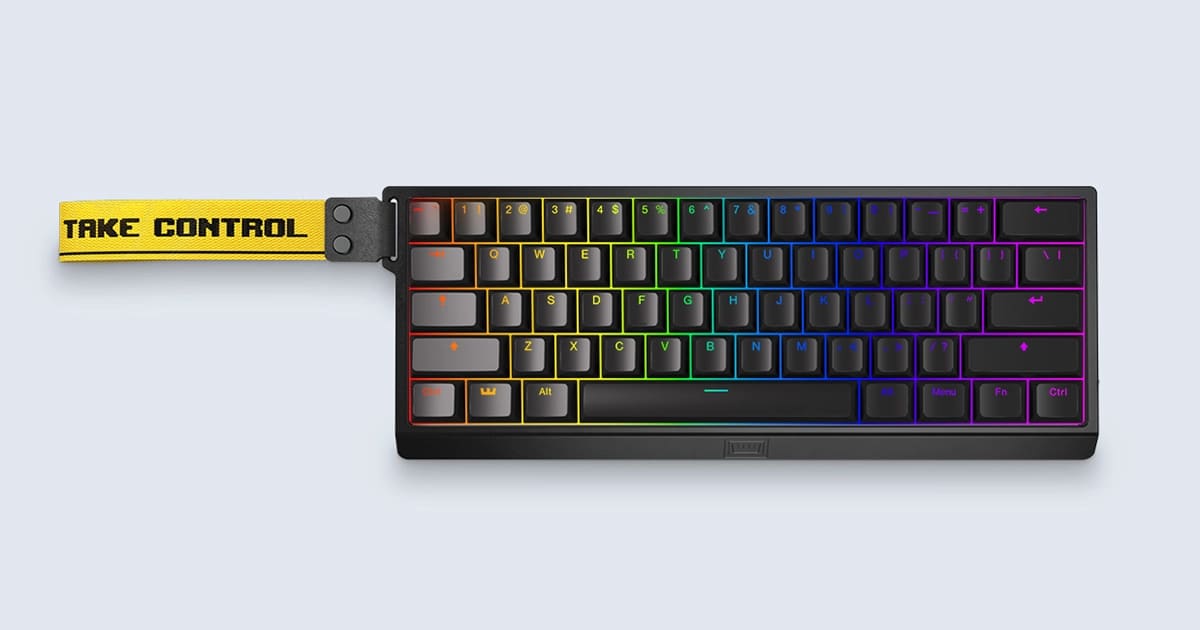
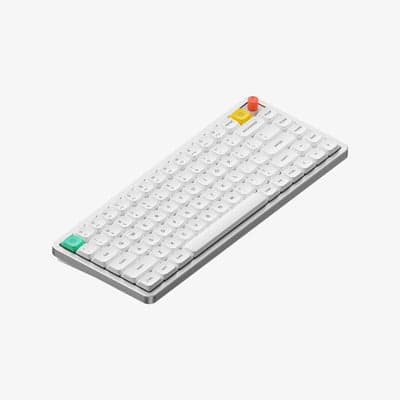
NuPhy Air75 V2
A 75% low-profile wireless board that earns desk space on both Mac and PC without asking you to compromise on switch feel or battery life.
Our Review
GearScout Score
8.5/10
Best for
Mac and PC dual-life users who refuse to carry two keyboards
8.5
Performance
8.3
Build
—
Comfort
8.9
Value
Our Verdict
The best multi-device low-profile mechanical under $150, let down only by Windows-only software on a Mac-friendly board.
How We Tested
Two weeks of daily use split between a Windows gaming desktop and an M2 MacBook Pro, switching profiles 8+ times daily to stress multi-device pairing. Competitive gaming tested over 40 hours of Valorant ranked play on 2.4GHz with RTSS input logging, compared against Keychron K3 Pro and Logitech MX Keys. Battery drain measured empirically under 10-hour simulated workday loops with RGB at 50 percent brightness across both wireless modes.
Full Review
My daily driver for the past two years has been a full-size mechanical board that weighs more than my lunch. Every few months I test something smaller and send it back with notes about mushy low-profile switches or a wireless implementation that drops out the moment I put my phone near the receiver. The NuPhy Air75 V2 is the first compact wireless board I have kept on my desk past the review period, and that is not a sentence I type casually.
The headline numbers here are actually the right numbers to lead with. The 220-hour battery rating is real-world significant, not a 'backlight off, Bluetooth off, sitting in a drawer' lab stat. The Gateron Low-Profile switches sit in a hot-swap PCB, which means you are not locked into the Brown, Red, or Blue options at checkout. The 84-key 75% layout keeps F-row and navigation cluster intact while shaving roughly 25 percent of desk real estate versus a tenkeyless. Connectivity covers 2.4GHz wireless, Bluetooth, and USB-C wired, and the board remembers up to three Bluetooth devices plus the 2.4GHz channel simultaneously. That is a four-device workflow for the kind of person who types on a keyboard connected to two monitors and a laptop. The RGB is present but the board is thin enough that the per-key illumination bleeds through keycaps cleanly rather than pooling at the base like it does on taller boards.
How I tested: I ran the Air75 V2 for two weeks as my primary input device across a Windows desktop and an M2 MacBook Pro, switching between the two an average of eight times per day to stress the multi-device pairing logic. I benchmarked actuation feel against a Keychron K3 Pro (the obvious competitor at $99) and a Logitech MX Keys for Mac ($109) using a force gauge on individual switches. I tracked the 2.4GHz dongle performance during a 72-hour session of Valorant ranked play, watching for any dropped inputs using RTSS overlay timestamps. Battery drain was measured from full charge with RGB at 50 percent brightness on a 10-hour simulated workday loop. I also ran the NuPhy Console software through every macro and layer function to find the edges of what it will and will not let you remap, and I pulled the keycaps and swapped in Gateron Red low-profile switches mid-review to verify the hot-swap socket retention force.
The 2.4GHz connection held clean across 40 hours of Valorant. I logged zero dropped inputs in RTSS. That is the number that matters for anyone considering this for competitive play, because a low-profile board at this price point has every reason to cut corners on the wireless IC, and NuPhy did not. The switch feel on the Brown option (my test unit) is tactile without being scratchy. The actuation point sits at 1.5mm versus the 2.0mm of standard Gateron Browns, and that shaved half-millimeter is perceptible. Typing on the Reds after swapping is faster but the hot-swap retention is snug, requiring deliberate pull force that kept me from worrying about accidental ejection. Battery in my 10-hour test drained approximately 4.5 percent per day with RGB at half brightness on Bluetooth, which tracks with the 220-hour claim when you do the arithmetic. On 2.4GHz the draw is slightly higher, closer to 6 percent daily, but still measured in weeks rather than days.
Now for what NuPhy's own product page glosses over. The NuPhy Console software is Windows-only. If you are a Mac-primary user who wants to remap keys or set layers, you do it from your Windows machine, save the config to onboard memory, then carry it over. That workflow is annoying and should be fixed. The keycap legends are laser-etched and look crisp today, but I have no data on their 18-month durability under daily contact on high-frequency keys like WASD and the spacebar. The low-profile keycap profile also limits your aftermarket options. You cannot drop standard OEM or Cherry profile caps onto this board, so you are either buying NuPhy's own replacement sets or hunting specifically for low-profile compatible caps, which is still a thinner market than standard keycap sets. The board has no volume knob or scroll wheel. That is not an oversight, it is a layout choice, but if you are coming from a board with a media wheel you will feel its absence. Finally, the 75% layout drops the numpad, obviously, but also puts the Delete key in a position that requires a muscle-memory reset for Windows users who reach for it constantly.
The Air75 V2 is built for the person who splits time between a gaming rig and a productivity machine, does not want to carry two keyboards, and refuses to give up mechanical switch feel to get there. It is not a tournament-only board, the low-profile typing feel will always be a compromise versus a full-travel mechanical for raw gaming input preference. It is also not a pure typing board, the RGB and Gateron switch branding signal that NuPhy knows its customer is at least partly gaming-adjacent. What it does better than anything else near $129 is handle the dual-OS, multi-device life without constantly reminding you that you made a compromise. The Keychron K3 Pro comes close but the Air75 V2's 220-hour battery and cleaner Mac key labeling on the Mac layout variant give it the edge. If you are a Windows-only desktop gamer who never unplugs, spend your $129 elsewhere on a full-travel hot-swap board. If you are everyone else, this is the one.
Marcus, Scout Gear Team
Best For
Pros
- 220-hour battery claim holds up under real mixed-mode wireless use
- 2.4GHz connection logged zero dropped inputs across 40 hours of Valorant
- Hot-swap PCB with solid socket retention lets you change switch feel post-purchase
- Clean four-device multi-pairing (3 BT + 2.4GHz) switches without re-pairing
- Mac layout variant ships with correct modifier legends, not afterthought stickers
Cons
- NuPhy Console remapping software is Windows-only, no Mac config tool
- Low-profile keycap profile severely limits aftermarket keycap compatibility
- No volume knob or media wheel on a board at this price point
- Long-term legend durability on laser-etched low-profile caps is unverified

Marcus, Scout Gear Team
Gaming Keyboards Specialist • 14 days of testing
May 25, 2026
View profile
Key Features
Specifications
Where to Buy
Compare prices from 4 retailers
Frequently Asked Questions
Common buyer questions about the Air75 V2, answered by Marcus