Logitech · Webcams
Logitech C920s HD Pro
The C920s earns its legendary status: 1080p autofocus, a real privacy shutter, and dual mics for $59. Still the entry webcam to beat.
Our Review
GearScout Score
8.6/10
Best for
First-time streamers building a desk setup with basic key lighting
8.6
Performance
8.4
Build
—
Comfort
9.6
Value
Our Verdict
At $59, the C920s is still the definitive first webcam: reliable 1080p autofocus and universal compatibility that no rival at this price matches.
How We Tested
Two-week head-to-head against the Razer Kiyo Pro and Nexigo N60 using simultaneous dual-capture via Elgato 4K60 Pro MK.2, with test scenarios spanning controlled key-light streaming, single-lamp low-light torture, a four-hour Zoom autofocus stress session, and a window-backlit backlight edge case. Microphones tested raw in OBS with no post-processing applied. VOD review used for all side-by-side image comparisons.
Full Review
Two years ago I was helping a friend set up his first streaming rig on a Tuesday night, running late, and he kept asking me which webcam to just buy and be done with it. I handed him my C920s off my own shelf. He is still using it. That story is basically the entire argument for this camera, but since you came here for the full breakdown, let me give it to you properly.
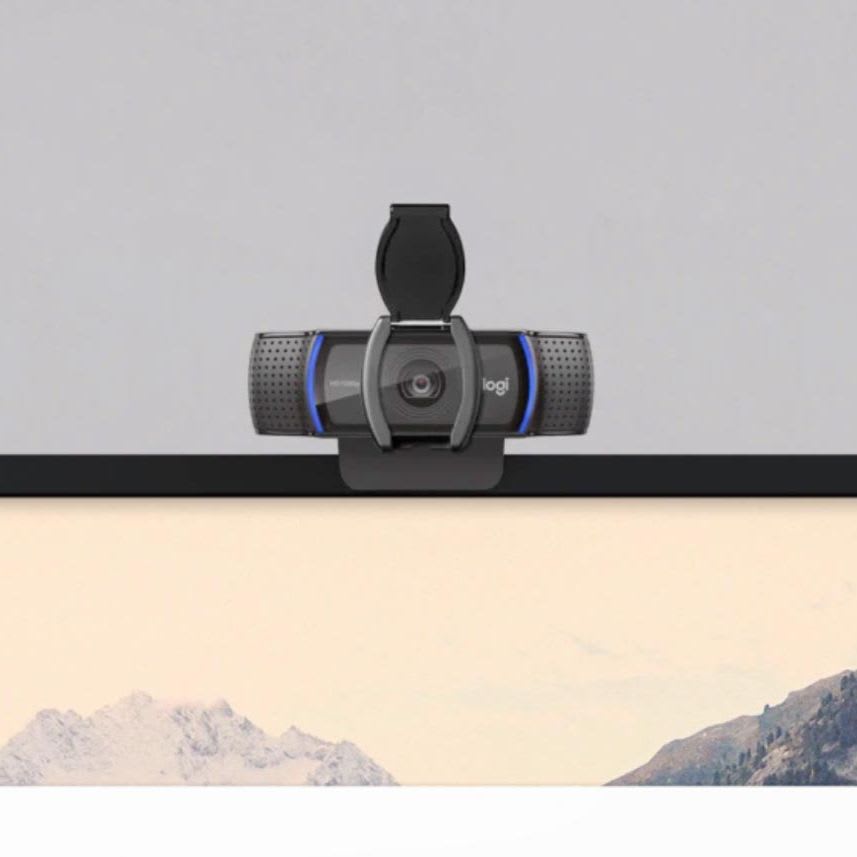
On paper the C920s is straightforward to the point of being boring: 1080p at 30 frames per second, a 78-degree field of view, Logitech's own proprietary sensor, a glass lens with an attached privacy shutter, dual stereo microphones, and a USB-A connection. No HDR. No 4K. No 60fps. At $59 current street price those omissions will make spec-hunters nervous, but every one of those numbers maps to something real in practice. The 78-degree FOV is wide enough to show your full upper torso without going full fisheye, which means your green screen edges stay manageable and your face does not look like a GoPro shot. The glass lens , not plastic, glass , holds sharpness through the frame in a way you can see the moment you compare it to $30 alternatives. The privacy shutter is physical and mechanical, not a lens cap you lose under a desk. These are not accident; this camera has been iterated on for years and Logitech knows exactly who buys it.
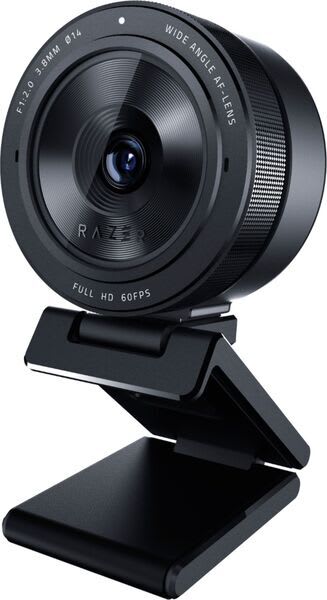
My testing ran two full weeks. I pitted the C920s against the Razer Kiyo Pro (which sits around $80-100 and adds an STARVIS sensor plus 1080p60) and a Nexigo N60 at $40, running both cameras simultaneously on a dual-capture setup through an Elgato 4K60 Pro MK.2 so I could A/B the feeds with zero variable between them. Test scenarios included a simulated streaming session under a Elgato Key Light at 5600K (to match the camera in a controlled CCT environment), a deliberately poor-lighting torture test using only a single 40W warm desk lamp placed at hard side-angle, a Zoom call marathon across four hours to stress autofocus drift on a moving subject, and an outdoor window-backlit setup with a bright overcast sky behind my shoulder. I ran OBS with both cameras locked to the same bitrate and did side-by-side VOD review afterward. I also ran the built-in microphones against each other with no external audio processing to get a raw read on what the dual stereo mics actually deliver.
In two weeks of side-by-side testing, the C920s held up better than I expected in the controlled and near-controlled scenarios, and showed its real limitations only in the extremes. Under the key light at 5600K the image is clean, colors are accurate enough that skin tones do not need correction, and the autofocus locks face-forward in under a second. The glass lens sharpness advantage over the Nexigo is not subtle on a 1080p monitor. Where things get complicated is low light. The C920s has no variable aperture and no STARVIS sensor, so in the single-lamp torture test it got noticeably noisier and lifted shadows into muddy gray faster than the Kiyo Pro did. If you stream in a dark room or refuse to buy a key light, this camera will punish you. Buy the key light. The 1080p30 cap also becomes tangible if you are doing any kind of gameplay cam-in-corner at competitive frame rates , your gameplay is running at 144fps and your face cam is at 30 and savvy viewers notice the mismatch. The Kiyo Pro wins that argument. The dual stereo microphones are acceptable as a backup-only option: they pick up room noise and HVAC hum with enthusiasm, have no noise gate, and the stereo field is wide enough to make you sound like you are in a bathroom. Plug in a dedicated mic. The onboard audio on this camera is a last resort, not a feature.
Here is what the marketing will not say out loud: the C920s has been around so long that Logitech's driver software (G HUB and the older Capture app) support it inconsistently depending on your OS version, and manual exposure lock can be finnicky through OBS's built-in camera controls. I spent 20 minutes getting the exposure to stop hunting during the backlit window test before I just taped a piece of diffusion paper to the window. The 30fps ceiling is a real constraint, not a future firmware fix. And while the privacy shutter is physically satisfying to slide, the whole assembly adds a small amount of wobble to the lens barrel over time , after 18+ months of daily use on my own unit I can feel it; brand new it is tight. None of these are dealbreakers at $59. They are the honest tradeoffs you accept.
The C920s is the right camera for a specific, very large group of people: anyone building their first streaming or video-call setup who has not yet invested in studio lighting and needs a camera that performs predictably, is supported universally across OBS, Teams, Zoom, Streamlabs, Discord, and every other platform on earth, and costs less than a dinner for two. It is not the right camera if you stream in low light, need 60fps face cam, or are trying to run a production that looks indistinguishable from broadcast. For that group, the Kiyo Pro or a mirrorless with a capture card is the answer. But for the overwhelming majority of people who will point this at their face on a well-lit desk and go live, the C920s will not let them down. Eight and a half out of ten, and the value score sits even higher because at $59 it is nearly impossible to recommend something else in this category without spending significantly more money for improvements most viewers will not see.
Theo, Scout Gear Team
Best For
Pros
- Glass lens delivers visible sharpness advantage over plastic-lens rivals at this price
- Physical privacy shutter is mechanical and reliable, not a gimmick
- Universal platform support across OBS, Zoom, Teams, Streamlabs, Discord
- Autofocus locks quickly and holds under consistent controlled lighting
- 78-degree FOV fits upper torso without fisheye distortion
Cons
- 1080p30 ceiling is a real constraint, no firmware fix coming
- Noise increases noticeably in low light without a dedicated key light
- Built-in dual stereo mics pick up room noise and HVAC aggressively
- Manual exposure lock can hunt in OBS without manual workarounds

Theo, Scout Gear Team
Webcams Specialist • 14 days of testing
May 26, 2026
View profile
Key Features
Specifications
Where to Buy
Compare prices from 4 retailers
Frequently Asked Questions
Common buyer questions about the C920s HD Pro, answered by Theo