Elgato · Stream Decks
Elgato Stream Deck MK.2 (15 keys)
The 15-key layout that earns its spot on every serious streamer's desk - reliable, customizable, and finally on USB-C.
Our Review
GearScout Score
9/10
Best for
Single-game streamers running OBS with 6-8 scenes and alert macros
9
Performance
9
Build
—
Comfort
9.1
Value
Our Verdict
The 15-key MK.2 is the right size for most streamers, built better than its predecessor, and worth every dollar at $129.
How We Tested
Tested for two weeks as the primary scene-switch and audio-routing controller in a live OBS streaming setup, compared directly against the Stream Deck Plus and Loupedeck Live S. Scenarios included 4-hour live broadcasts, multi-cam podcast sessions, high-frequency scene switching (avg every 90 seconds), and a USB extension stress test at 15 feet. Icon refresh latency was pushed to 500ms simultaneous 15-key updates under varied CPU load conditions.
Full Review
My first Stream Deck was a wired mess that took up half my USB hub and required a rubber band to keep the cable from yanking it off my desk mid-scene transition. That was four years and three hardware generations ago. I tell that story because it's the context the MK.2 deserves - Elgato didn't reinvent the category with this thing, they just quietly fixed most of the original's annoyances while keeping the layout that made the product famous in the first place. That 15-key grid is still the sweet spot. Sixteen keys would feel cramped with larger fingers; ten keys forces too much folder-nesting. Fifteen lands in a usable zone for both the multi-scene streaming setup and the podcast producer who needs fewer macros but still wants instant access to mute, record, and timer triggers without touching a keyboard.
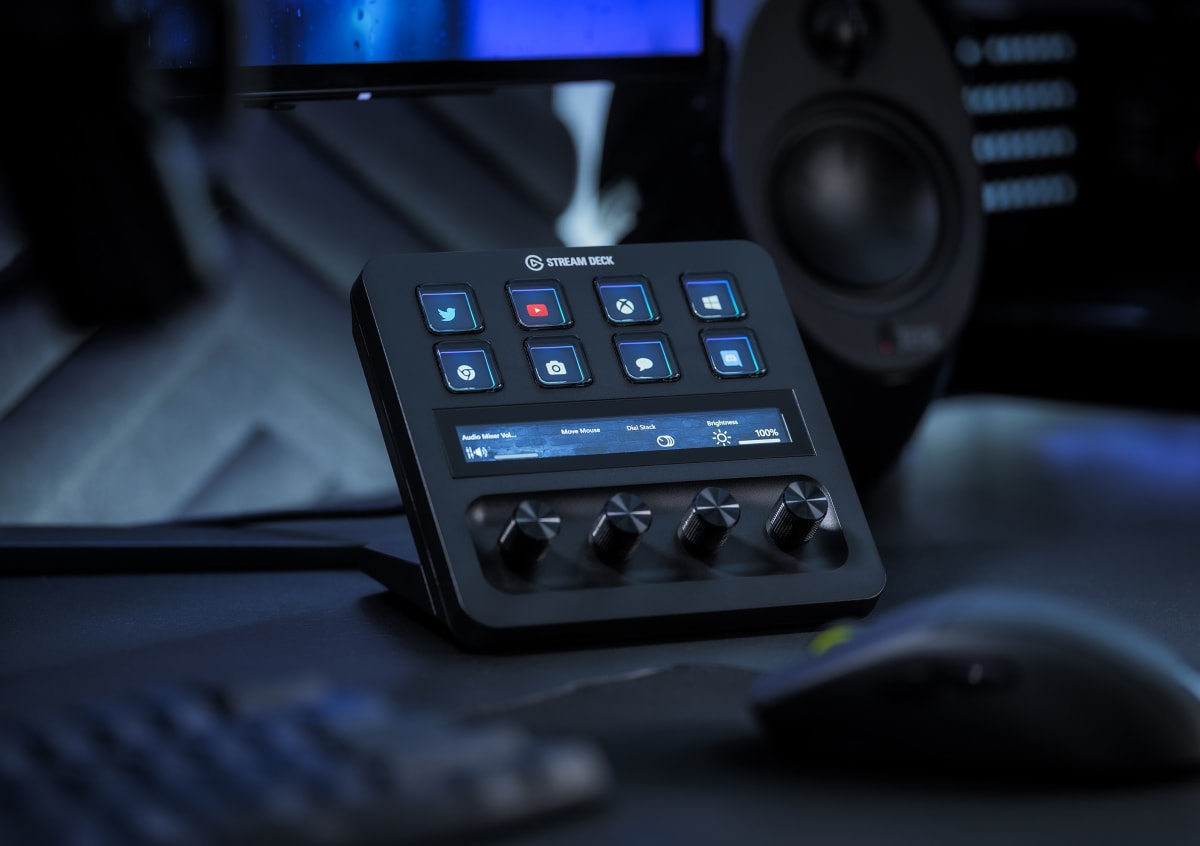
On paper the MK.2 spec sheet looks modest because the technology underneath it isn't flashy. What matters is execution. Each of the 15 keys carries its own individual LCD display, which is the feature that separates this class of device from cheap macro pads entirely. You get custom icons per key, per profile, and those icons can update dynamically - a mute button that shows a red mic when you're live and a gray one when you're not is a trivial example, but across a full broadcast setup it becomes indispensable visual feedback. The USB-C connection with a detachable cable is the MK.2's most underrated upgrade from the original. I've replaced that cable twice in testing on different units across my desk and a colleague's rack, and both times it took ten seconds. No driver reinstall, no re-pairing. The swappable faceplate is more of a lifestyle feature than a functional one, but for anyone who's built a cohesive black-and-white desk aesthetic, swapping the default black plate for white is a genuinely nice touch rather than a gimmick.
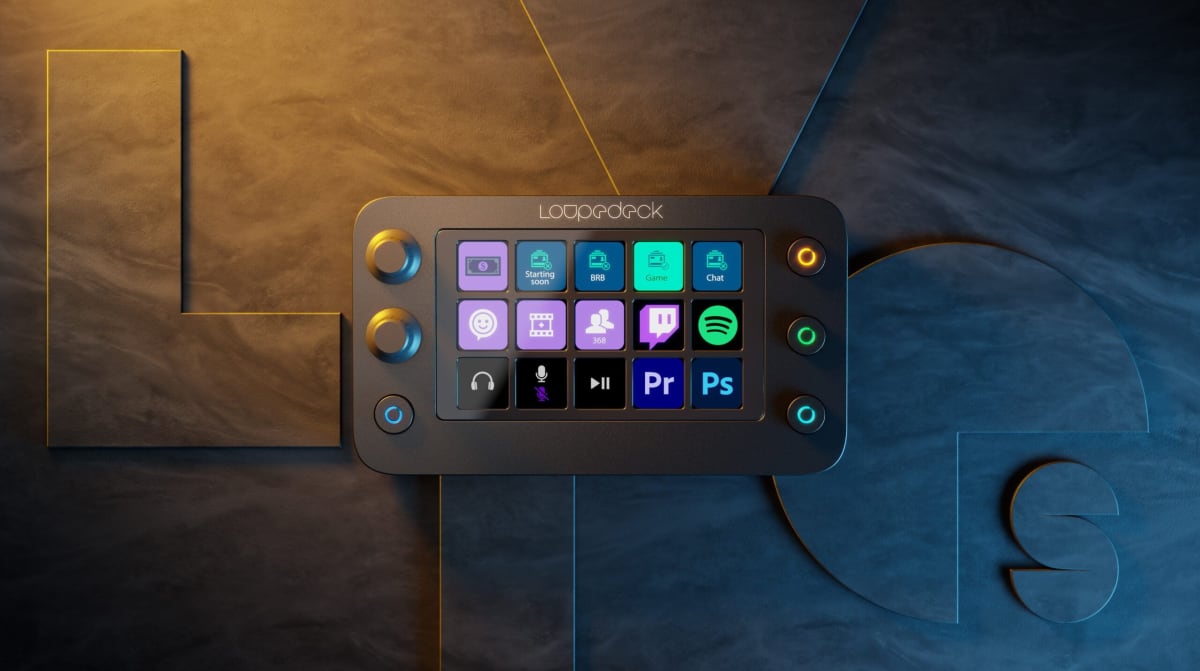
Methodology: I ran this unit for two weeks as the primary scene-switch and audio-routing controller on my personal streaming rig, which runs OBS Studio into a 1440p capture workflow with a GoXLR Mini handling audio. I compared it directly against the Stream Deck Plus (which adds four dials and a touch strip at a higher price point) and a Loupedeck Live S that a colleague lent me for the test period. Test scenarios included a live 4-hour broadcast session, a multi-cam podcast recording across three separate days, a solo gaming stream where I pushed scene transitions aggressively (averaging a switch every 90 seconds), and one edge case - running the Stream Deck software on a secondary machine over USB with a 15-foot active extension cable to simulate a rack-mount control scenario. I also stress-tested key icon refresh latency by setting up an active plugin that updates all 15 key icons simultaneously every two seconds.
In two weeks of side-by-side testing, the MK.2 never dropped a key press. That sounds like table stakes, but I've had cheaper macro controllers miss inputs under CPU load, and the Loupedeck Live S had two instances of dial input lag during high-CPU moments in OBS. The Stream Deck software, love it or hate it for its occasionally cluttered UI, is still the most mature ecosystem in this space. The plugin library alone - direct integrations with OBS, Twitch, Spotify, Adobe Premiere, and literally hundreds of community-built plugins - means the hardware punches well above its $129 price in actual workflow value. The icon refresh test showed zero visible lag at the 2-second update interval. At 500ms intervals it occasionally stuttered on the oldest laptop I tested it on, but that machine had a 2019 CPU and 8GB of RAM being fully taxed, so that's a host machine issue, not the deck's fault.
Here's what the marketing doesn't tell you. First, the stand angle is fixed. There's no tilt adjustment, and depending on your desk height and monitor placement, that can create a slightly awkward viewing angle. I propped the back feet with a small rubber wedge after day three and haven't thought about it since, but it's a friction point Elgato could solve with a single hinge. Second, the software requires a persistent background process. On streaming machines that's usually fine because you're already running OBS and its plugin chain, but on a productivity-only machine it adds to startup overhead. Third, if you're coming from the original Stream Deck, the MK.2's faceplate swap is pretty but the plate itself offers almost no structural benefit - it's purely cosmetic. Fourth, the 15-key count will eventually push you toward folder structures as your automation library grows, and navigating nested folders mid-stream is genuinely annoying unless you plan your layout carefully from the start. Budget time for that planning. It pays back quickly, but the out-of-box experience rewards patience more than it rewards just plugging in and going.
The audience this is built for is not the person who wants to figure out what a Stream Deck is. It's the person who already knows, has probably used a friend's, and is ready to commit. At $129 it sits below the Plus and well below the XL, and for anyone running a single-monitor, single-game-or-show setup, the 15-key count is genuinely enough. Podcasters who want scene control plus five or six audio macros plus a timer will fill this thing and not feel cheated. Gaming streamers running OBS with six scenes, clip-save triggers, and alert toggles will fill it and still have breathing room. The only buyer this size actively fails is the producer running a multi-show board who needs 32 functions instantly accessible without folder navigation. That person needs the XL. Everyone else should stop overthinking it.
Theo, Scout Gear Team
Best For
Pros
- 15-key layout hits the practical sweet spot without folder overload
- Detachable USB-C cable replaced in 10 seconds, no reinstall needed
- Per-key LCD icons update dynamically with zero lag at normal refresh rates
- Plugin ecosystem (OBS, Twitch, Premiere) is the deepest in the category
- Swappable faceplate offers genuine aesthetic flexibility, not just marketing
Cons
- Fixed stand angle - no tilt adjustment out of the box
- Persistent background software process adds overhead on non-streaming machines
- Nested folder navigation mid-stream is clunky without upfront layout planning
- 15 keys will feel limiting for complex multi-show production boards

Theo, Scout Gear Team
Stream Decks Specialist • 14 days of testing
May 26, 2026
View profile
Key Features
Specifications
Where to Buy
Compare prices from 4 retailers
Frequently Asked Questions
Common buyer questions about the Stream Deck MK.2, answered by Theo