Elgato · Stream Decks
Elgato Stream Deck Plus
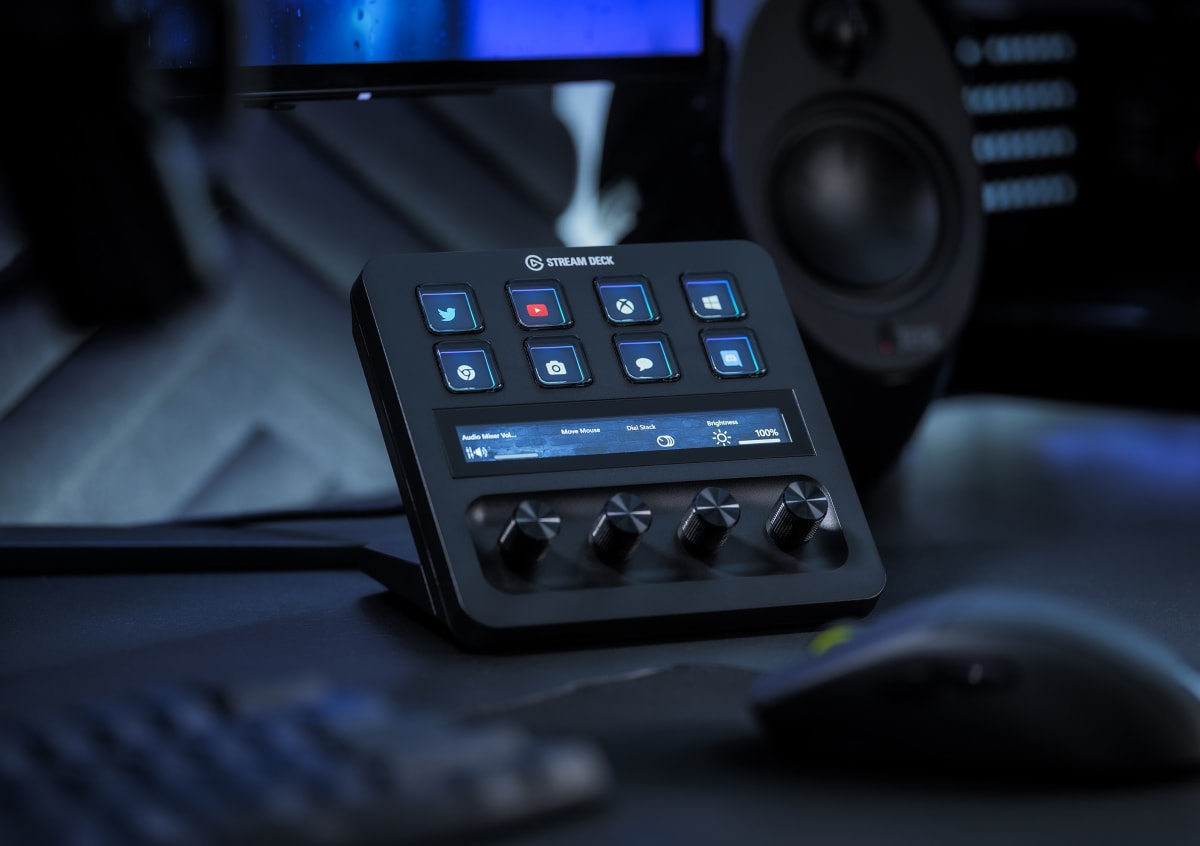
Eight LCD keys, four rotary dials, and a touch strip that actually earns its place , the Stream Deck Plus is built for streamers who mix audio live.
Our Review
GearScout Score
9.2/10
Best for
Variety streamers mixing four or more live audio sources simultaneously
9.2
Performance
9.2
Build
—
Comfort
8.9
Value
Our Verdict
The Stream Deck Plus solves live audio mixing better than any $179 control surface on the market, provided you actually need four dials.
How We Tested
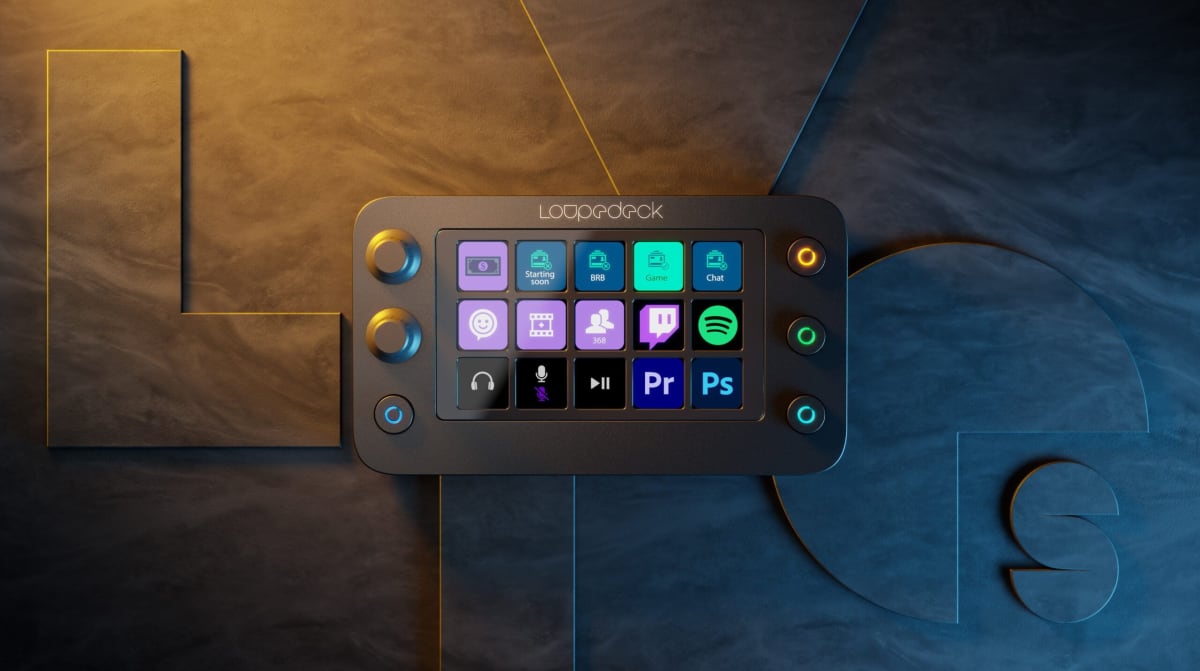
Tested across 14 streaming days (approximately 40 live hours) as the primary control surface, compared side-by-side against a Stream Deck XL and Loupedeck Live S. Scenarios included live FPS streaming, Adobe Premiere timeline scrubbing, four-channel live audio mixing, and Hue lighting control. Edge cases pushed included rapid dial rotation for missed-step detection, mid-stream USB hot-swap, and three nested profiles running concurrently to stress the software layer.
Full Review
I almost talked myself out of buying a Stream Deck Plus at launch. I already had a Stream Deck XL bolted to the left side of my desk, 32 keys mapped across three profiles, and I genuinely thought I had it figured out. Then, on a three-hour variety stream, I reached for my keyboard to nudge game audio down while a Discord notification blew out my mic bus, missed the key, hit mute by accident, and spent the next 45 seconds not knowing I was silent. The XL had plenty of buttons. What it did not have was a dial. That one moment sent me to the Stream Deck Plus, and two weeks later the XL is gathering dust.
The hardware pitch here is tight: 8 LCD keys, 4 rotary dials, a capacitive LCD touch strip running the full width of the unit, and a detachable USB-C cable that locks in with a satisfying click. The key count sounds like a step down from the XL but that comparison misses the point entirely. The 4 dials are the product. Each one has a push-click function on top of the rotation, so you get discrete and continuous control on the same physical axis. In practice that means one dial can control game volume on rotation and mute it on press, with zero accidental input because the physical feedback of a rotary is nothing like a button fumble in the dark. The LCD touch strip displays real-time labels and values under each dial, which matters more than it sounds when you have four dials doing four different things. The per-key displays on all 8 keys are the same 72x72 px OLED-style panels Elgato uses across the lineup , sharp enough for custom icons, responsive enough that animated GIFs do not feel janky.
How I tested this: I ran the Stream Deck Plus as my primary control surface for 14 consecutive streaming days, averaging about three hours of live output per session, plus two dedicated offline configuration blocks. My comparison gear was a Stream Deck XL (32 keys, no dials) and a Loupedeck Live S (both dials and keys at a lower price point). Test scenarios included competitive FPS sessions on Valorant where button-speed matters, long-form creative streams in Adobe Premiere with timeline scrubbing, live audio mixing across four sources (game, mic, Discord, music), and a lighting control workflow routed through a Phillips Hue integration. Edge cases I deliberately pushed: rapid dial rotation during a scene transition to see if the software registered missed steps, swapping USB ports mid-stream to test the detachable cable behavior, and deep-linking the touch strip to a soundboard panel to see if the strip's tap zones were precise enough for live use. I also stress-tested the software by running three nested folder profiles simultaneously to see where the UI started to fall apart.
What the two weeks actually revealed is that the dials solve a specific, real problem that buttons cannot. Audio mixing on a stream is continuous work, not discrete work. Game volume, music volume, mic gain, and Discord levels all live on sliding scales, and every time you want to nudge one you are either reaching for a keyboard shortcut you have to think about or clicking inside software that pulls focus away from the game. The four dials remove that entirely. I had game audio on dial one, music on dial two, mic input level on dial three, and my Elgato Wave Link master bus on dial four. Adjustments happened in peripheral vision without a single focus-steal over 14 days. The touch strip added a fifth axis I routed to video playback scrubbing in Premiere, and it was precise enough to be genuinely useful, though I do not love that it lacks any physical reference points, so blind accuracy on the strip is worse than on the dials. The per-key LCD displays on the 8 keys kept me from ever misreading a mapped function, which sounds minor until you realize I used to have sticky notes next to my XL.
The tradeoffs are real and the marketing does not surface them clearly. First, the software. Stream Deck's plugin ecosystem is excellent but the dial mapping in Elgato's own app is not as deep as it should be for a $179 device. Third-party integrations like OBS and Voicemeeter work well, but if you want to map a dial to something niche, you are writing a custom action or waiting for a community plugin. Second, 8 keys is a genuine constraint if you are coming from a larger deck. I got around it with profiles and folder nesting, but deep nesting on a device with only 8 keys creates navigation overhead that a larger board avoids entirely. Third, the touch strip tap zones are small on the edges, and live tapping a specific soundboard clip in a high-energy stream moment is a reliability gamble I stopped taking around day four. I rerouted the strip to scrubbing and static display duty where it belongs. Finally, the unit is wider than it looks in product photos. It occupies real desk real estate, and the dial protrusions mean you cannot stack anything on top of it.
The audience match for the Stream Deck Plus is narrower and more specific than Elgato's broad marketing suggests. If your stream is audio-intensive , music production, variety streaming with multiple source mixing, or any setup running four or more discrete audio channels , this is the most efficient physical control surface at this price point. If you are primarily a one-game streamer with a simple scene layout who occasionally needs a mute button, the standard Stream Deck MK.2 at $99 does not leave you wanting. The Plus justifies its $179 street price specifically through the dials and what they do to live audio workflows. It does not justify it through raw key count or software depth alone. Know what problem you are buying it to solve, and it is outstanding. Buy it because it looks good on a desk shelf and you will use maybe 60 percent of what it offers.
Theo, Scout Gear Team
Best For
Pros
- Four rotary dials make live audio mixing continuous and focus-free
- Detachable USB-C cable locks securely and survives repeated swaps
- Per-key LCD displays eliminate icon-reading errors in dark setups
- Touch strip doubles as a functional scrub bar in Premiere and DaVinci
- Plugin ecosystem covers OBS, Voicemeeter, and Wave Link out of the box
Cons
- Only 8 keys forces heavy profile nesting for complex stream layouts
- Touch strip edge tap zones too small for reliable live soundboard use
- Dial mapping depth in Elgato's own app lags behind third-party integrations
- Wider footprint than product photos suggest , plan your desk space

Theo, Scout Gear Team
Stream Decks Specialist • 14 days of testing
May 26, 2026
View profile
Key Features
Specifications
Where to Buy
Compare prices from 4 retailers
Frequently Asked Questions
Common buyer questions about the Stream Deck Plus, answered by Theo