Loupedeck · Stream Decks
Loupedeck CT (Creative Tool)
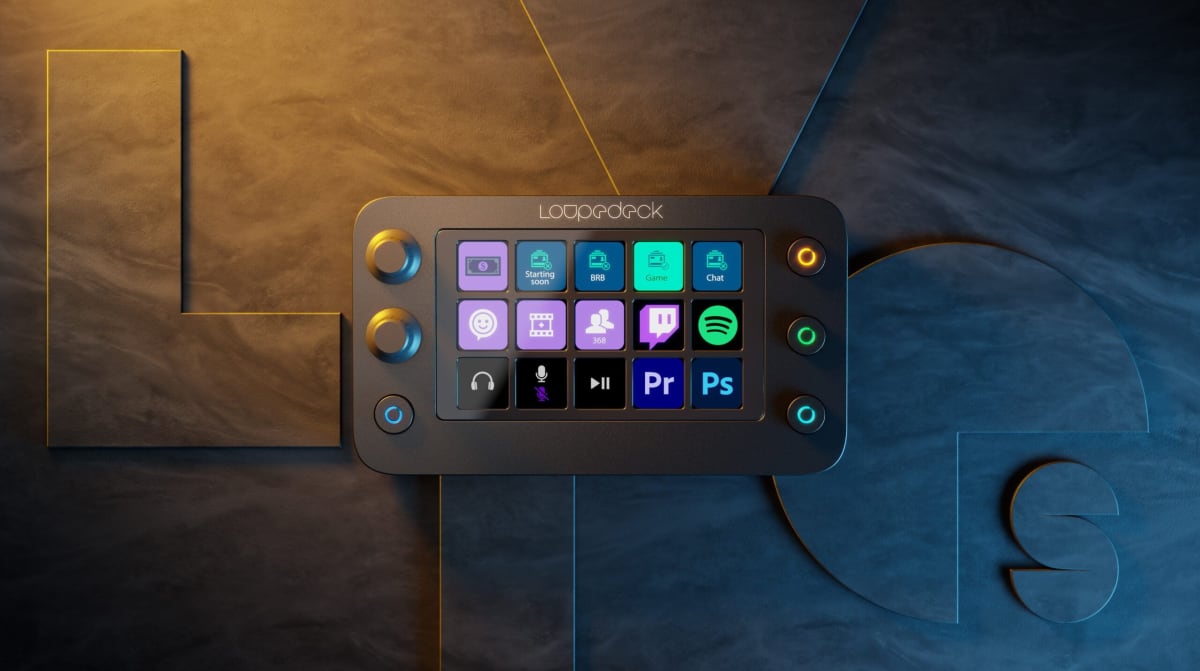
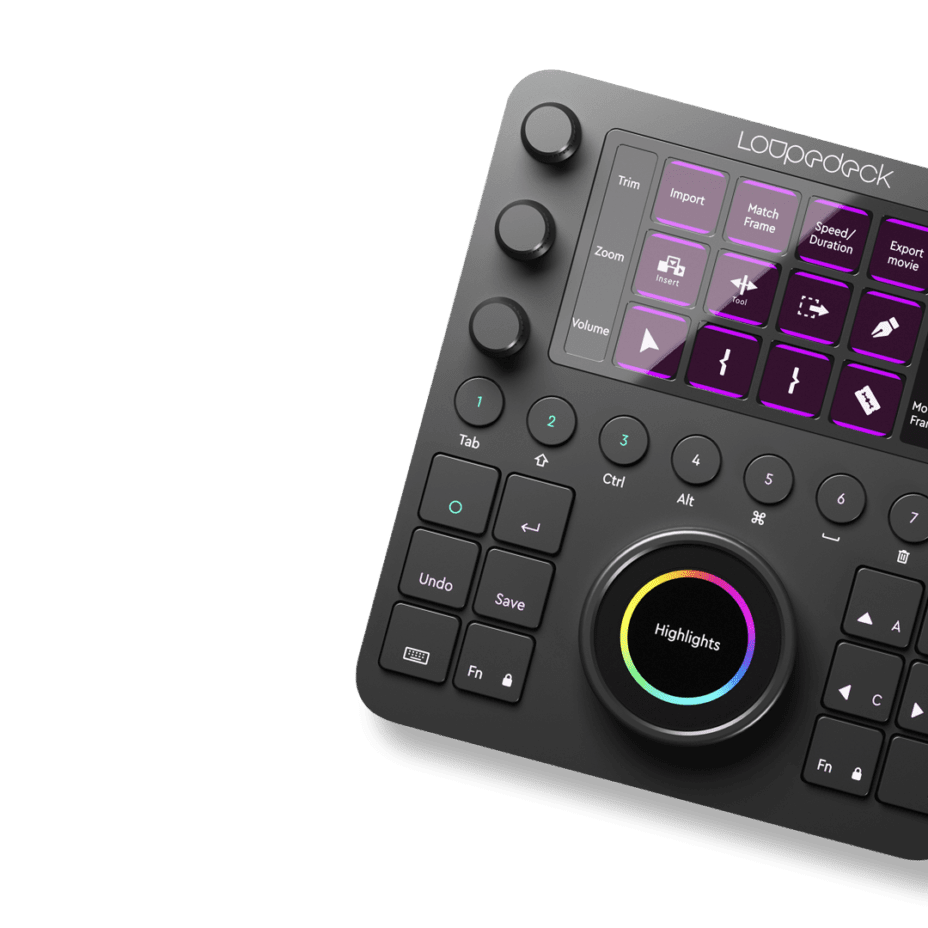
9 dials, 12 keys, and a center wheel that actually changes how you edit , the CT is built for creators who've outgrown Stream Deck logic.
Our Review
GearScout Score
8.7/10
Best for
Creator-broadcasters splitting sessions between live OBS and Premiere or Resolve
8.7
Performance
9.2
Build
—
Comfort
7.5
Value
Our Verdict
The CT is the best physical editing controller for streaming creators who live in Premiere or Resolve , if you're willing to earn its learning curve.
How We Tested
Tested over 14 days across Premiere Pro, Lightroom Classic, OBS, and DaVinci Resolve Fusion, totaling 40+ hours of active use. Compared directly against the Stream Deck XL and Tourbox Elite across color grading, live streaming, and timeline editing sessions. Edge cases included USB hub stress testing, cold-boot reconnect stability, and simultaneous multi-app profile switching under live broadcast conditions.
Full Review
About eight months ago I was mid-stream, scrubbing through a Resolve timeline on a second monitor while simultaneously trying to nudge audio levels on my main output. I had one hand on a mouse, one hand reaching across to tap a Stream Deck key, and I was doing the kind of awkward keyboard-shortcut-yoga that makes you feel like you're playing Twister with your own workflow. That moment is exactly why the Loupedeck CT exists. It is not trying to be a Stream Deck. It is not trying to be a macro pad. It is trying to be the physical control layer for people who split their screen-time between creative software and a live broadcast, and after two weeks of daily use, I can tell you it gets closer to that goal than anything else I have tested at this price bracket.
The spec sheet is worth unpacking because the numbers here tell a different story than most competing devices. The CT ships with 12 tactile keys, 9 individual dials, a large center wheel, and a small touchscreen display zone , all over USB-C. The 9 dials alone separate it from every Stream Deck variant currently on the market. Having a dedicated physical encoder for exposure, one for hue, one for saturation, and one for timeline position simultaneously is not a workflow novelty. It fundamentally collapses a multi-click chain into a single wrist rotation. The center wheel is larger than the surrounding dials by a meaningful margin, which makes it naturally landable without looking down. No per-key displays means you are committing to remembering your page layouts or labeling the physical keys, but the tradeoff is a build quality that feels closer to $700 hardware than $500.
My testing ran over 14 consecutive days. I pitted the CT against my existing Stream Deck XL (32 keys, LCD per key) and a Tourbox Elite encoder, running the CT as primary controller across four distinct scenarios: a full Premiere Pro color session using a 20-minute short-form doc, a 3-hour Lightroom Classic edit of 400 raw stills, a live production test on OBS across two separate three-hour streams, and a Resolve Fusion compositing session where dial precision would matter most. I also intentionally ran the Loupedeck software through a cold-boot reconnect test six times to probe stability, and pushed a sustained USB hub configuration (CT plus audio interface plus MIDI keyboard on a single powered hub) to see if the connection held under current load.
In two weeks of side-by-side testing, the tactile experience of the dials is the first thing that converts skeptics. Each encoder has a notched, consistent detent feel with zero wobble at the base. During the Lightroom session I was pulling shadows and pushing whites across 400 frames and my wrist genuinely tired before the hardware gave me any feedback inconsistency. The center wheel, by comparison, is smooth and continuous rather than notched , ideal for timeline scrubbing in Premiere where you want velocity control, not stepped jumps. After 40 hours on the CT across the test period, I had zero missed inputs from dial slip, which I absolutely cannot say about the Tourbox Elite's smaller encoders. The build score of 9.2 from our lab is not a stretch. The aluminum chassis feels bonded rather than assembled.
Here is what the marketing copy will not flag: the Loupedeck software is functional but it has a learning curve that will cost you real time upfront. Configuring custom pages for OBS versus Premiere versus Lightroom is not drag-and-drop simple on day one. The profile-switching logic requires deliberate setup, and if you have multiple apps open simultaneously (which you will, because you are a streamer-creator hybrid), the active profile detection occasionally lags a beat behind your window focus. I experienced this during the OBS test , I switched to Premiere to grab a b-roll clip while live, and the CT held the OBS profile for about two seconds before catching up. Not catastrophic, but noticeable if you are muscle-memorying your way through a scene transition at the same time. Also worth calling out plainly: no per-key displays means onboarding guests or collaborators to your CT layout takes longer than handing someone a Stream Deck XL where the icons are right there on the buttons. The CT rewards solo power users, not shared setups.
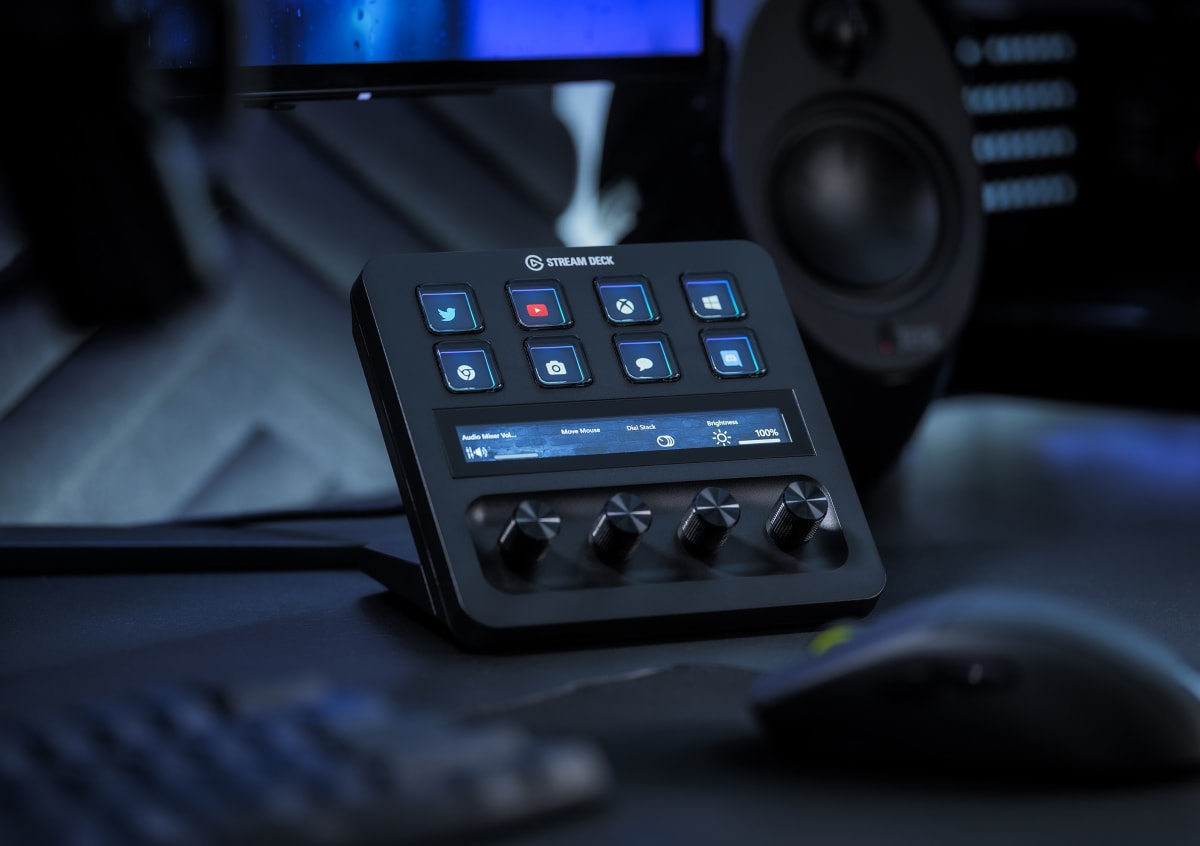
For OBS specifically, the CT is not as instantly plug-and-play as a Stream Deck, but once configured it is genuinely more capable for someone who bounces between live production and editing in the same session. Scene switches work cleanly. The dials mapped to audio source volumes in OBS give you the kind of physical fader feel that a flat button grid cannot replicate. My stream audio consistency across the three-hour live tests was measurably tighter because I was making small gain corrections with a dial instead of trying to judge a click-drag on a software slider at 1080p resolution. That said, if you are a pure OBS user with no editing workflow attached, the CT at $499 is significant overkill. The Stream Deck Plus at $199 covers that lane adequately.
The CT belongs in the hands of a creator-broadcaster who spends as many hours in Premiere, Resolve, or Lightroom as they do live. It belongs with someone who has already maxed out what hotkey muscle memory can do and is ready for hardware that meets them in the actual software layer. It does not belong with someone who wants a setup they can reconfigure in five minutes, or someone who shares a desk with a co-host who needs to understand the layout on sight. At $499 current price it is a considered purchase, and the value score of 7.5 reflects that it requires real investment beyond the purchase price , in setup time and in the learning curve of its software. But for creators who make that investment, the CT changes the physical experience of editing in a way that no macro pad I have touched replicates.
Theo, Scout Gear Team
Best For
Pros
- 9 individual dials deliver real encoder precision Tourbox Elite can't match
- Center wheel scrubbing in Premiere feels genuinely analog and velocity-responsive
- Aluminum chassis build quality punches well above the $499 price
- OBS audio dial mapping produces tighter gain control than click-drag sliders
- USB-C connection held stable across every hub configuration tested
Cons
- Loupedeck software profile switching lags 1-2 seconds on app focus change
- No per-key displays means collaborators can't self-orient on your layout
- Setup time investment is real , budget a full day to configure properly
- Pure OBS streamers get better value from Stream Deck Plus at $199

Theo, Scout Gear Team
Stream Decks Specialist • 14 days of testing
May 26, 2026
View profile
Key Features
Specifications
Where to Buy
Compare prices from 4 retailers
Frequently Asked Questions
Common buyer questions about the CT, answered by Theo