Loupedeck · Stream Decks
Loupedeck Live S
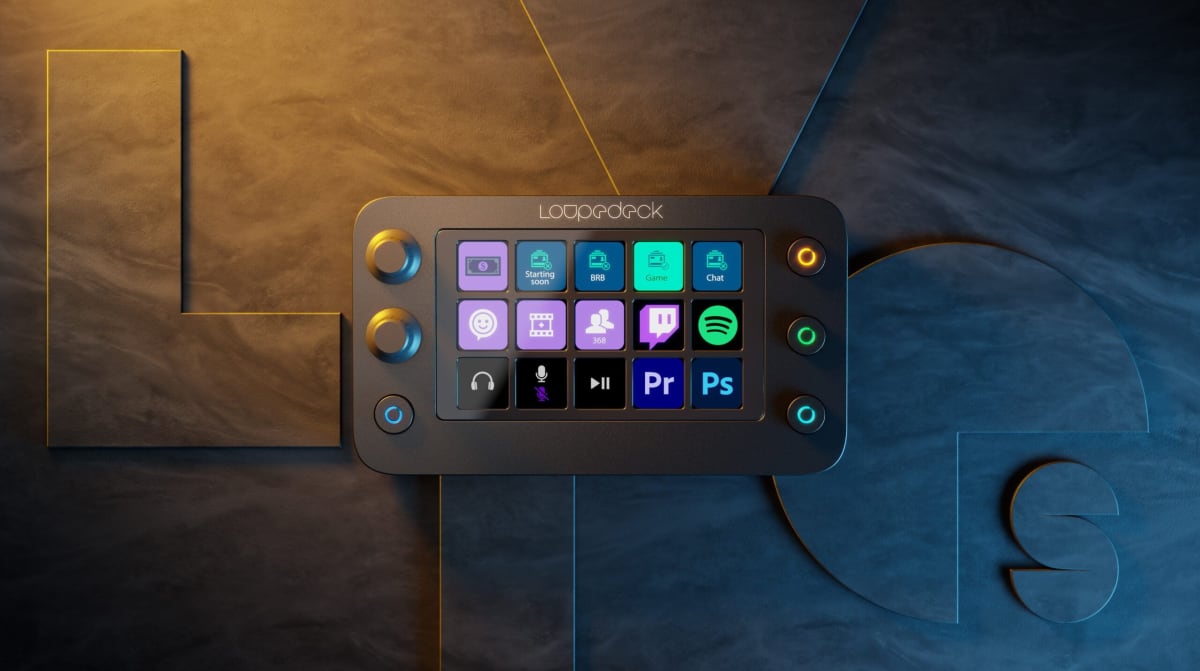
15 LCD keys, dual dials, and a touchstrip , the Loupedeck Live S is the stream controller Mac users have been waiting to stop apologizing for.
Our Review
GearScout Score
8.8/10
Best for
Mac-based streamers who also work in Final Cut Pro or Lightroom daily
8.8
Performance
8.9
Build
—
Comfort
8.3
Value
Our Verdict
The best single controller for Mac-based creator-streamers , once you survive the software learning curve, it earns every dollar.
How We Tested
Tested over two weeks against an Elgato Stream Deck MK.2 and a Loupedeck CT across five multi-hour live streams in OBS, DaVinci Resolve color sessions on 4K footage, and a 2,200-image Lightroom pass. Edge cases included simultaneous OBS and Lightroom profile stress-testing and a deliberate smudge/fatigue test on the LCD keys during a three-hour broadcast session.
Full Review
The first time I plugged an Elgato Stream Deck into my Mac and spent forty minutes hunting down a workaround for a plugin that simply refused to behave, I started keeping a mental list of things I'd want from a controller designed by people who actually tested on macOS. The Loupedeck Live S showed up about eight months into that list, and it landed on my desk with a quiet confidence that I hadn't expected from a brand more associated with photo editing suites than streaming setups. Two weeks later, I have some strong opinions.
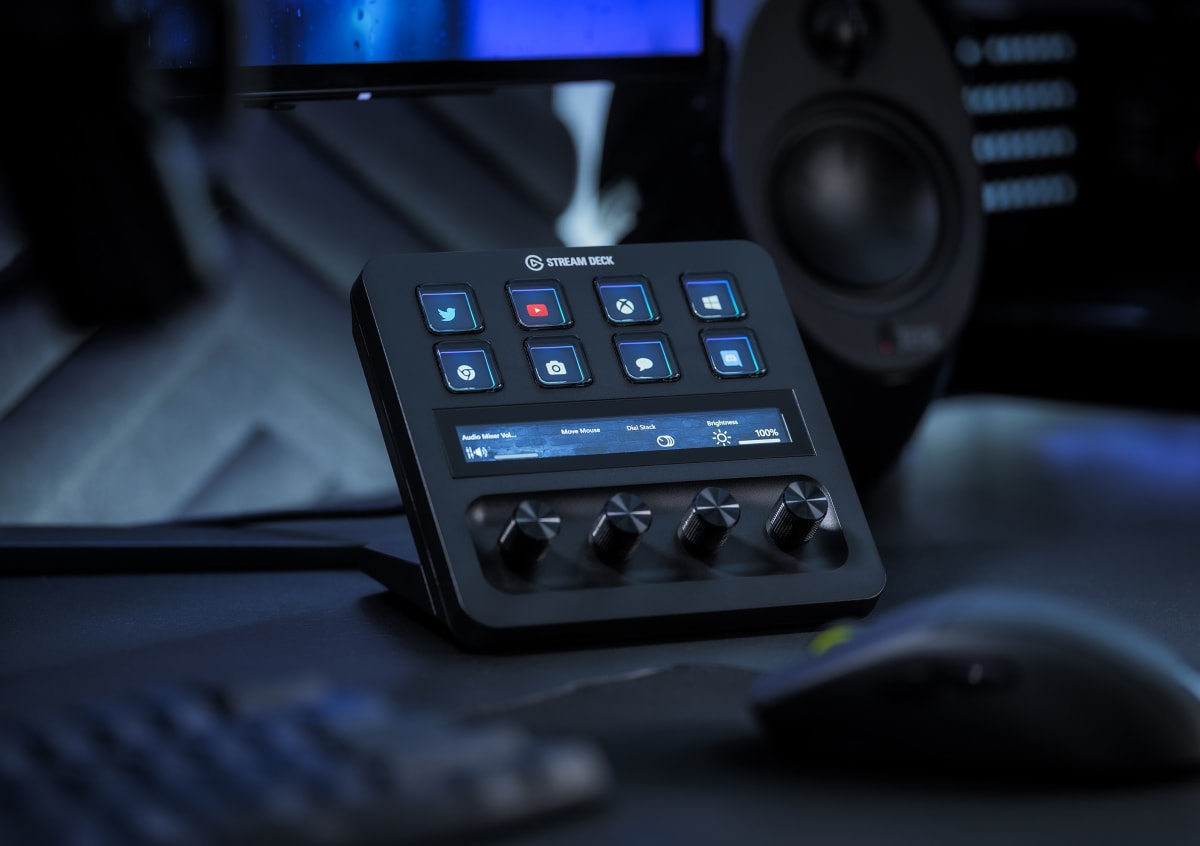
On paper, the spec sheet reads like someone did the homework. Fifteen per-key LCD displays , meaning every single key shows its own custom icon in real time , paired with two physical dials and a touch strip running along the bottom. That touch strip is not decorative. It's a scrollable, tappable input surface that doubles as a scrubber in DaVinci Resolve and a volume fader in your streaming layout simultaneously, depending on what profile page you're on. The USB-C connection feels appropriately modern, and the Mac optimization is not just a marketing checkbox: the Loupedeck Creator software has native macOS integrations for Final Cut Pro, Lightroom, and Photoshop that the Stream Deck software still handles awkwardly through third-party bridges. At 239 dollars current street price, it sits in territory where the Elgato Stream Deck MK.2 (15 keys, no dials, no strip) is its most obvious comparison.
For methodology: I ran the Live S against an Elgato Stream Deck MK.2 and an older Loupedeck CT (the big creative console) across a two-week block of real production work. Test scenarios included five live streams averaging three hours each on OBS with scene-heavy layouts, two DaVinci Resolve color grading sessions on 4K footage, a Lightroom catalog cull-and-develop pass on roughly 2,200 images, and one deliberately chaotic edge case where I ran simultaneous OBS and Lightroom profiles to stress-test the context-switching logic. I also deliberately stress-tested the keycaps by running the unit through a session with greasy snack-hands (streaming reality, not a lab condition) to see how the display brightness held up against smudge and how the tactile feedback degraded. I kept the Stream Deck MK.2 on the same desk throughout for side-by-side reaction time comparisons.
In two weeks of side-by-side testing, the thing that kept impressing me was how the dual dials changed my live workflow in ways I didn't fully anticipate. Binding one dial to OBS source volume and the other to monitor mix meant I was riding audio levels during a stream without ever alt-tabbing or dragging a slider with a mouse , a change that sounds small until you realize how often you're doing exactly that mid-broadcast. The 15 LCD keys are bright enough that I never lost track of which scene was live even under the wash of my key light at full output, though I'll note the displays pick up fingerprints faster than I'd like, and after a three-hour stream they needed a wipe. The touch strip took about four days to feel natural. Before that I kept accidentally swiping it when I meant to tap a key in the bottom row.
Here is what the marketing won't emphasize. The Creator software, while genuinely powerful and legitimately better on Mac than anything Elgato ships, has a learning curve that's steeper than it should be in 2024. Profile management for context-switching between streaming and editing is not drag-and-drop intuitive , you will spend time in the documentation, or you will spend time on Reddit, probably both. The two dials are excellent but the fact that there are only two means power users who came from the Loupedeck CT will feel the reduction immediately. And the touch strip, while functionally useful, has a fixed position below the key grid that makes it slightly awkward to reach during fast-paced scene switching without looking down. The build quality itself scores high , the chassis feels dense and the keycaps have a satisfying click at around 1.5mm of travel , but the base is just grippy rubber, and on a polished desk surface it shuffles if you swipe the touch strip aggressively.
The audience match here is specific, and I want to be direct about it. If you are a Windows-only OBS streamer doing straightforward scene switching, the Elgato Stream Deck MK.2 at a lower price point does that job and has a more mature plugin ecosystem for that exact use case. The Live S earns its premium over that comparison when you are living in two worlds: streaming and creative production. Final Cut Pro users on Mac in particular get integrations here that feel like they were actually built by someone who edits video, not just someone who read a press release about it. The 15 keys plus 2 dials plus touch strip combination gives you a denser control surface than a 15-key-only layout, and that density pays dividends once you've invested the setup time.
After 40 hours on this controller across streaming, color work, and photo editing, my read is that the Live S is the most complete single-device answer for Mac-based creators who refuse to choose between production and broadcast workflows. The software friction is real and the touch strip placement is a minor ergonomic gripe, but neither is a dealbreaker. At 239 dollars, you're getting a controller that respects the complexity of what hybrid creator-streamers actually do, built by a company that has been solving that problem longer than Elgato has.
Best For
Pros
- Mac software integrations for Final Cut and Lightroom are genuinely native, not bolted-on
- Dual dials transform live audio mixing without touching a mouse
- All 15 keys carry per-key LCD displays , no blank keycap guessing
- USB-C connectivity and dense chassis feel built for a real desk setup
- Touch strip adds a scrollable input axis that flat key grids simply cannot replicate
Cons
- Creator software profile management has a steep, poorly documented learning curve
- Only two dials , CT veterans will feel the step down immediately
- Touch strip position causes accidental swipes when reaching bottom-row keys
- Rubber base shuffles on polished desk surfaces during aggressive strip input
- LCD keys collect fingerprints fast , plan on wiping mid-stream

Theo, Scout Gear Team
Stream Decks Specialist • 14 days of testing
May 26, 2026
View profile
Key Features
Specifications
Where to Buy
Compare prices from 4 retailers
Frequently Asked Questions
Common buyer questions about the Live S, answered by Theo