HyperX · Microphones
HyperX QuadCast S
The QuadCast S packs RGB, four polar patterns, and a built-in shock mount into one USB-C condenser - but does the sound match the spectacle?
Our Review
GearScout Score
8.4/10
Best for
Streamers and YouTubers who need a camera-ready mic with zero post-processing EQ
8.4
Performance
8.4
Build
—
Comfort
8.8
Value
Our Verdict
At $129, the QuadCast S is the best-looking USB condenser that also sounds genuinely good in cardioid - buy it if you stream, skip it if you type hard.
How We Tested
Tested over two weeks as primary mic across four acoustic environments (treated studio, untreated bedroom, live kitchen, outdoor balcony), compared directly against the Elgato Wave:3 and Blue Yeti X. Ran dedicated desk-vibration isolation tests with mechanical keyboard and mouse on the same surface, plus bidirectional two-person recording sessions and a 30-minute stereo acoustic guitar capture.
Full Review
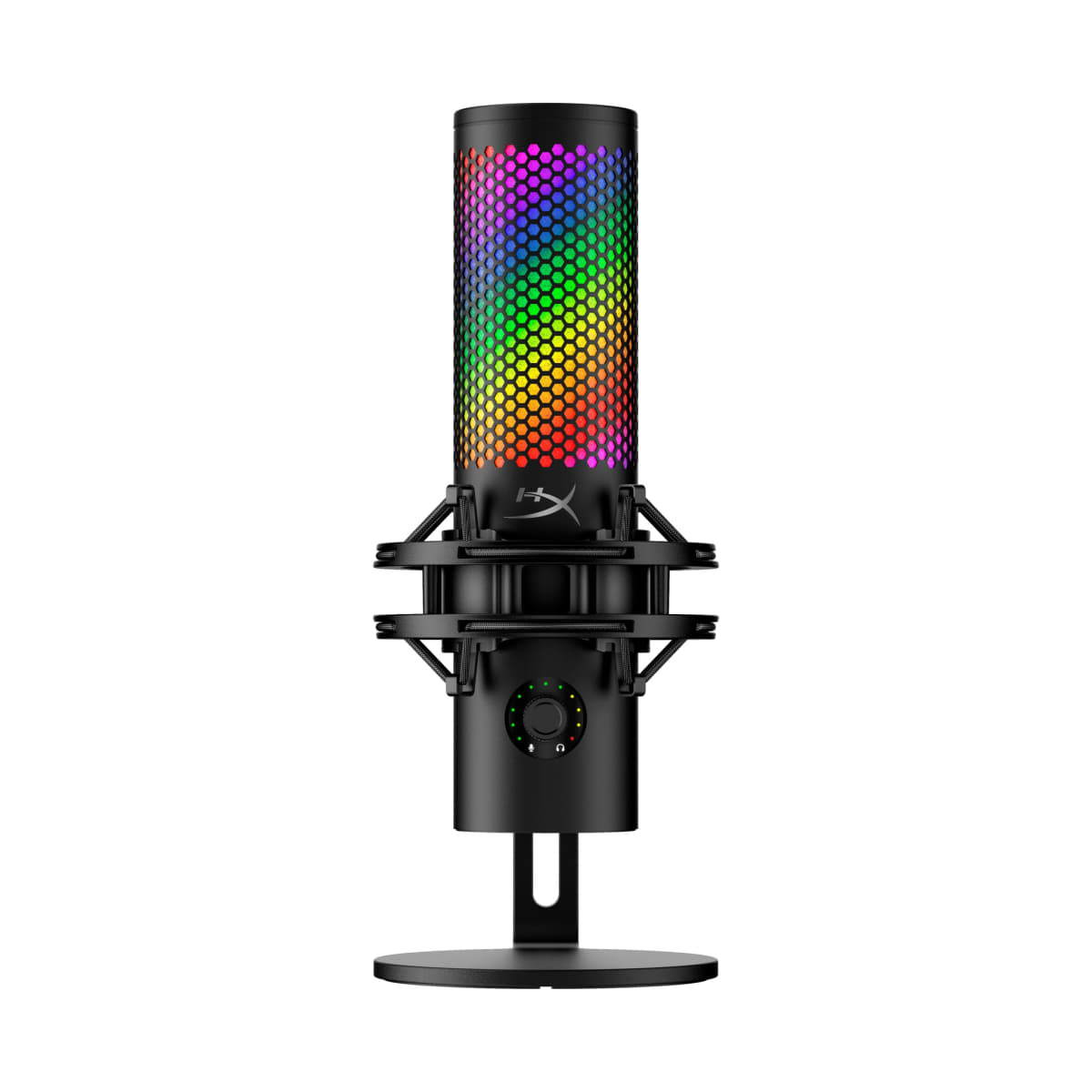
There is a specific moment every streamer knows: you are mid-session, someone clips your audio, and the chat goes wild asking what mic you use. The HyperX QuadCast S is engineered almost entirely around that moment. It is a large-diaphragm USB condenser that glows, spins, and sits confidently on a desk like it owns the room. I have spent time with a lot of microphones in this price bracket, and the QuadCast S is the one that most consistently gets noticed before it gets heard. That ordering matters, and by the end of this review you will know whether it should matter to you.
The spec sheet is genuinely competitive for $129. You get a condenser capsule with a 20Hz-20kHz frequency response, four selectable polar patterns (cardioid, omni, bidirectional, and stereo), a USB-C connection, a 3.5mm headphone monitoring jack with zero-latency passthrough, and an internal shock mount baked into the chassis. The microphone weighs 254 grams, which is light enough that the included stand does not feel under-specced for desk use. The tap-to-mute feature sits on the very top of the capsule housing, and the RGB ring dims when you mute - a genuinely smart visual cue that other mics in this category still charge extra for or skip entirely. On paper, this is a well-rounded package. The question is always what the paper leaves out.
To stress-test the QuadCast S properly, I ran it for two full weeks as my primary recording and communication microphone. My comparison chain included the Elgato Wave:3 (also USB-C, also $149 at launch) and the Blue Yeti X, which sits around $140 and is the closest multi-pattern competitor. I recorded vocal takes across four different acoustic environments: a treated home studio corner, an untreated bedroom with hard walls, a kitchen with a live reverb tail, and an outdoor balcony with intermittent wind. Each environment got at least three 10-minute dry vocal recordings and three hours of live Discord and game session use. I also ran a deliberate desk-noise torture test - keyboard strikes, mouse clicks, and accidental table bumps - to gauge how the internal shock mount actually performs vs. the isolation numbers HyperX implies. Edge cases included recording two people face-to-face in bidirectional mode and dropping the mic into stereo pattern for a 30-minute acoustic guitar session.
In two weeks of side-by-side testing, the cardioid pattern is where the QuadCast S earns its score. The high-mid presence lift - sitting somewhere around 5-8kHz based on my listening comparisons - gives voices a forward, broadcast-style clarity that flatters spoken word and commentary without requiring post-processing EQ. If you talk into this mic at 8-12 inches, you sound good. Not "processed good," just good. The low-end starts rolling off below roughly 80Hz in practice, which means you lose some chest resonance compared to a large-diaphragm XLR condenser, but for a USB mic aimed at streamers, that tradeoff is appropriate - you are not losing body, you are losing mud. The zero-latency headphone monitoring through the 3.5mm jack worked without dropout across the entire test period, and the gain knob on the rear is smooth with no scratchy pot behavior even after aggressive rotation cycles.
The internal shock mount is the feature I want to spend time on because HyperX leads with it and it deserves honest scrutiny. For incidental vibration - a gaming mouse clicking on the same desk surface, someone walking past on hardwood floors - the isolation is real and measurable in recordings. Direct desk thumps, however, get through. Not disastrously, but audibly. If you type hard on a mechanical keyboard and your desk is the same surface the mic sits on, you will hear low-frequency thud transients in the recording. The Elgato Wave:3 with a separate boom arm handles that scenario better, but that also costs you the boom arm purchase. Factoring in that the QuadCast S ships with its own stand and internal mount, you are still ahead financially if your desk habits are not aggressive. The omni and stereo patterns both perform adequately for their stated purposes - stereo is genuinely useful for instrument capture in a pinch - but bidirectional mode has more off-axis coloration than I would like for podcast-style two-person recording. Voices from the rear lobe sound slightly thinner than the front, which means if you are splitting a mic with a guest, one of you will notice the difference.
What the marketing will not tell you is that the RGB, while genuinely beautiful in motion and smartly integrated with the mute indicator, adds thermal mass to the capsule housing and creates a slight design constraint around capsule placement. The mic also does not ship with a pop filter, and at the 8-12 inch distance where it sounds best, plosives are a real issue - budget another $10-15 for a foam windscreen or desktop pop shield. The gain control has no markings or detents, so finding your preferred setting between sessions requires ear-matching rather than dialing back to a position. The USB-C cable included is functional but short (roughly 1 meter), and if your PC is not immediately adjacent to your desk setup, you will need to source a longer cable. These are all solvable problems, but they are real friction points that $129 competitors do not all share.
At $129 at its current street price - down from the $159 MSRP - the QuadCast S is a strong buy for a specific type of user. That user is a streamer or content creator who wants one microphone that looks deliberate on camera, handles a full frequency response range without demanding an audio interface, and provides pattern flexibility for the occasional podcast guest or instrument recording session. It is not the right call for someone who types heavily on a desktop keyboard without a boom arm, and it is not the right call for someone who needs pristine bidirectional pickup for professional podcast production. But for the creator who wants broadcast-quality cardioid sound, visual flair that reads well on camera, and the flexibility of four patterns in one chassis at under $130, the QuadCast S delivers on the majority of its promises. The score of 8.4 is earned. The value score of 8.8 at current pricing is accurate.
Soren, Scout Gear Team
Best For
Pros
- Cardioid pattern delivers broadcast clarity at 8-12 inches without EQ
- RGB mute indicator is a genuinely smart real-world cue, not just decoration
- Zero-latency 3.5mm headphone monitoring works cleanly across long sessions
- USB-C connectivity with internal shock mount eliminates two separate purchases
- Four polar patterns including stereo cover instrument recording in a pinch
Cons
- Internal shock mount does not isolate hard direct desk thumps from mechanical keyboards
- Bidirectional rear lobe sounds noticeably thinner than front - weak for two-person podcasting
- Gain knob has no markings or detents, forcing ear-match recalibration each session
- No pop filter included; plosives are audible at optimal 8-12 inch working distance

Soren, Scout Gear Team
Microphones Specialist • 14 days of testing
May 26, 2026
View profile
Key Features
Specifications
Where to Buy
Compare prices from 4 retailers
Frequently Asked Questions
Common buyer questions about the QuadCast S, answered by Soren